
This is a written version of my talk Hackněte si éter: radioamatérství 21. století (“Hack the air: amateur radio in the 21st century”), which I gave in Czech at OpenAlt 2026 in Brno.
Every now and then I like to stand in front of an audience and talk about things I care about. Two years ago it was Meshtastic at LinuxDays, last year it was LinHT at OpenAlt. This year I wanted to take a step back and talk about the whole thing: why amateur radio started to make sense to me at all, what is happening in hobby right now, and why I think it is one of the best playgrounds for people who like open source, Linux, embedded systems and networks.
A few notes before we start:
- This is not a polished, peer-reviewed article, and it is not a transcript either. It is a free retelling of my talk, slide by slide. On stage I certainly said some things differently, skipped some and added others; here I had more room for details and links.
- I have only had my licence since January 2025. I am a young ham. Some things I describe I have been doing for years in my professional life, some I have tried only once.
- There may be mistakes. If you find one, let me know and I will fix it.
- The talk and the slides were in Czech. For this article I translated the slides into English; the content is the same as in the talk.
So let’s go…
Starting with a packet
The title is a slightly old-fashioned Czech word, éter (the ether), combined with a hacker verb. That is pretty much the whole idea of the talk: an old hobby, seen through the eyes of someone who wants to open things up and see how they work.
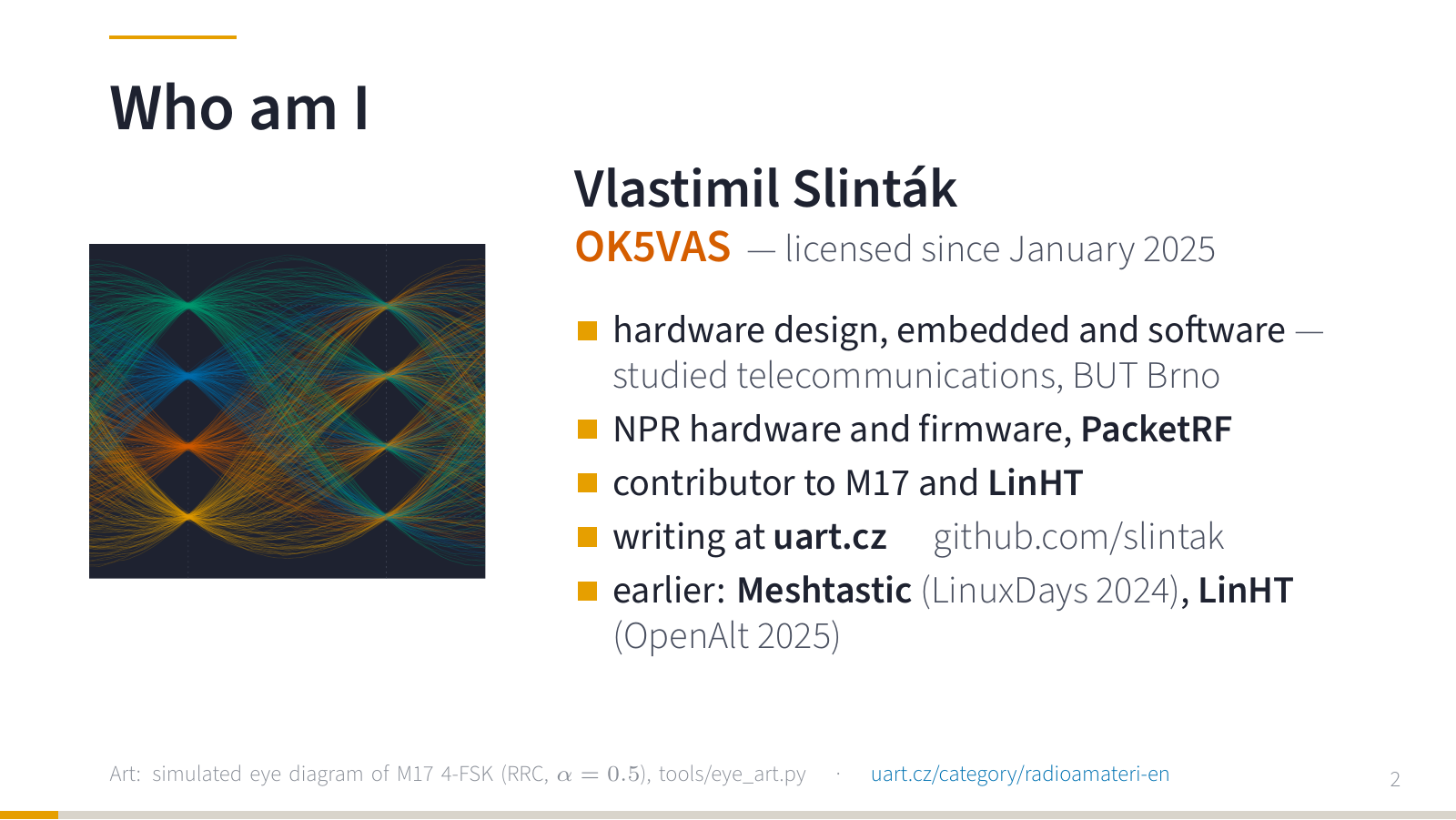
A few words about me. I studied telecommunications at the Brno University of Technology and for a long time I made a living in telecommunications and embedded development. Today I design hardware and write firmware and software. I write about my projects here on uart.cz and my code lives on GitHub.
The picture on the left is not just abstract art. It is a simulated eye diagram of an M17 signal: a 4-FSK baseband with four symbol levels after root-raised-cosine filtering. I generated it with a small Python script.
Because we were at OpenAlt, I started with something everybody in the room understands: sending a packet. Live demo, first thing after the introduction.
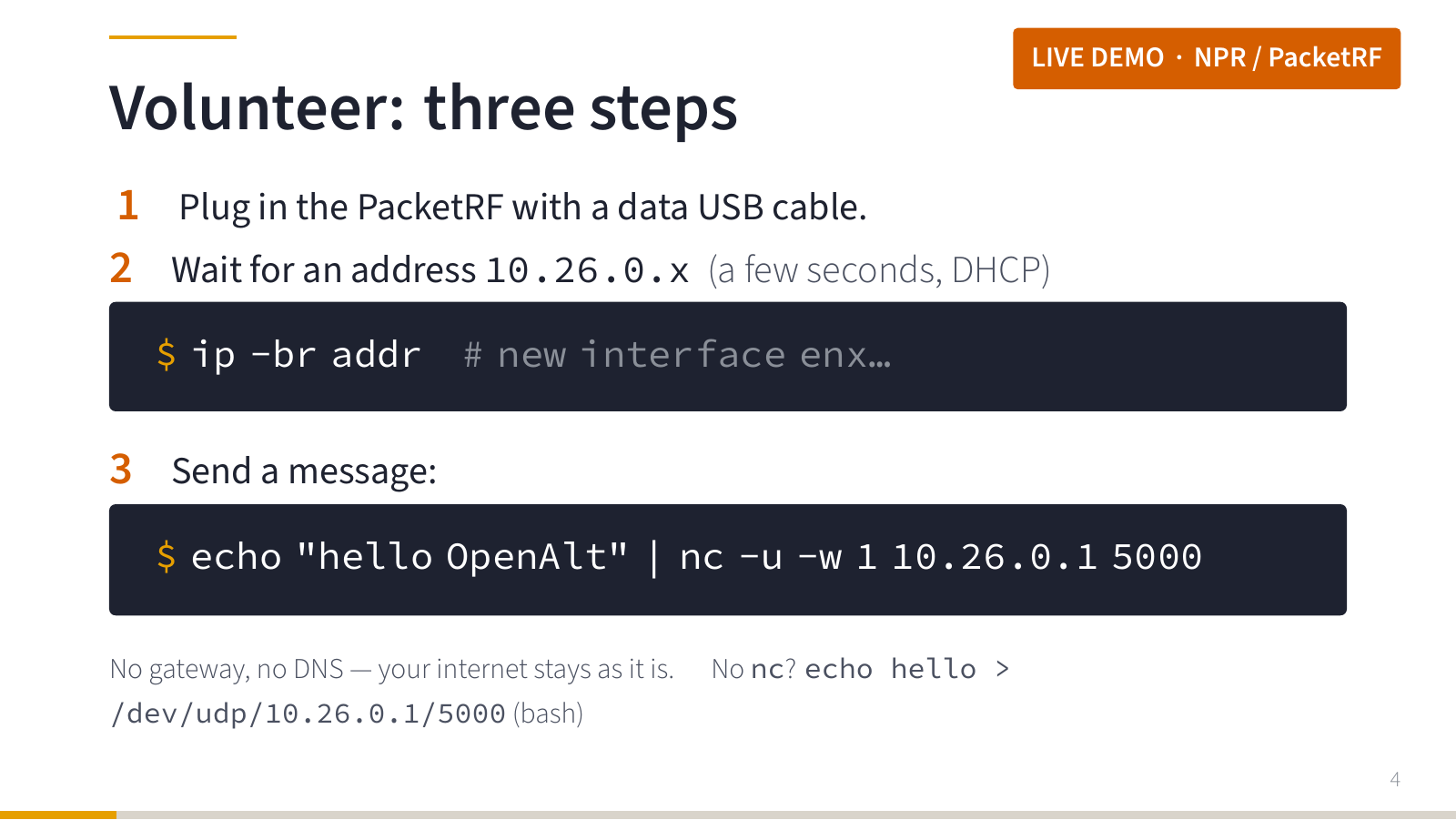
I asked for a volunteer with a Linux laptop and a free USB port. I gave them a small box: one of my PacketRF modems, configured as an NPR client (slave), and asked them to do three things:
- Plug the box in with a data USB cable.
- Wait a few seconds until a new network interface appears and gets an address from
10.26.0.xvia DHCP. - Send a message with plain netcat:
echo "ahoj OpenAlt" | nc -u -w 1 10.26.0.1 5000Nothing is installed on the volunteer’s laptop. The modem appears as a standard USB Ethernet device (CDC), so Linux handles it without any driver. The DHCP server in the modem does not advertise a default gateway or DNS, so the volunteer’s normal internet connection stays untouched. If you do not have netcat, bash can do it too: echo ahoj > /dev/udp/10.26.0.1/5000.
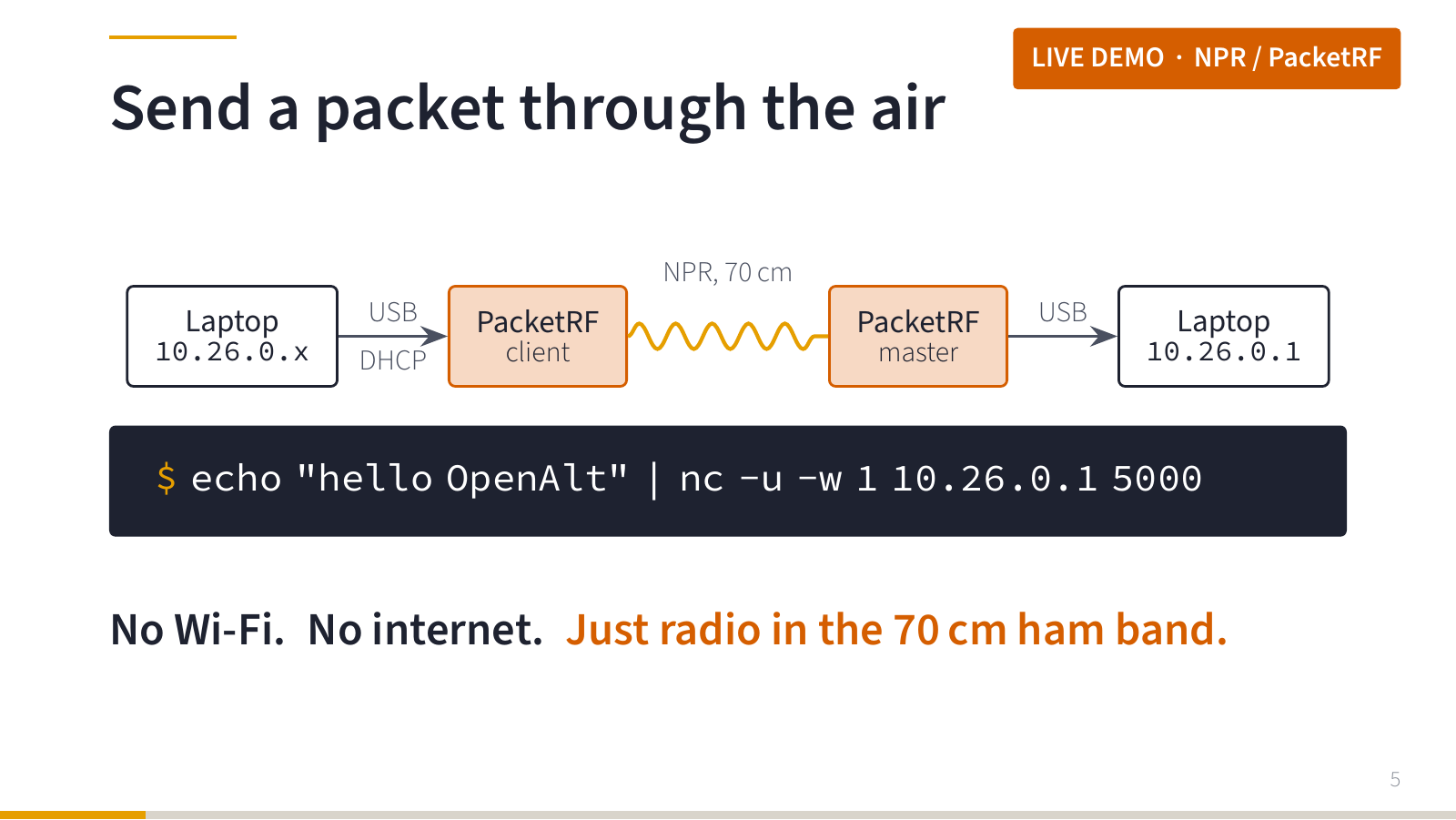
On the other side, the second PacketRF modem (the NPR master) was connected to my presentation laptop, which had the fixed address 10.26.0.1 and a listening netcat (nc -u -l -k 5000) in a terminal on the projector. The message flew over a real radio link in the 70 cm amateur band and appeared on the screen.
No Wi-Fi. No internet. Just radio in the 70 cm ham band.
For the curious, the setup was:
- two PacketRF RF baseboards (rev A, RP2350 + Si4463), one configured as NPR master, the other as NPR client,
- one common subnet
10.26.0.0/24:10.26.0.1presentation laptop,10.26.0.2USB interface of the master,10.26.0.32NPR master,10.26.0.33USB interface of the client,.34and up for DHCP clients behind it, - proxy ARP on the USB side of both modems, so ARP queries never have to travel over the air (more about that later).
I tested the whole thing beforehand, first with both modems on one desktop (with the client’s interface moved into a separate network namespace to simulate a second computer, coax and 80 dB of attenuation between the modems), then on real laptops and with antennas.
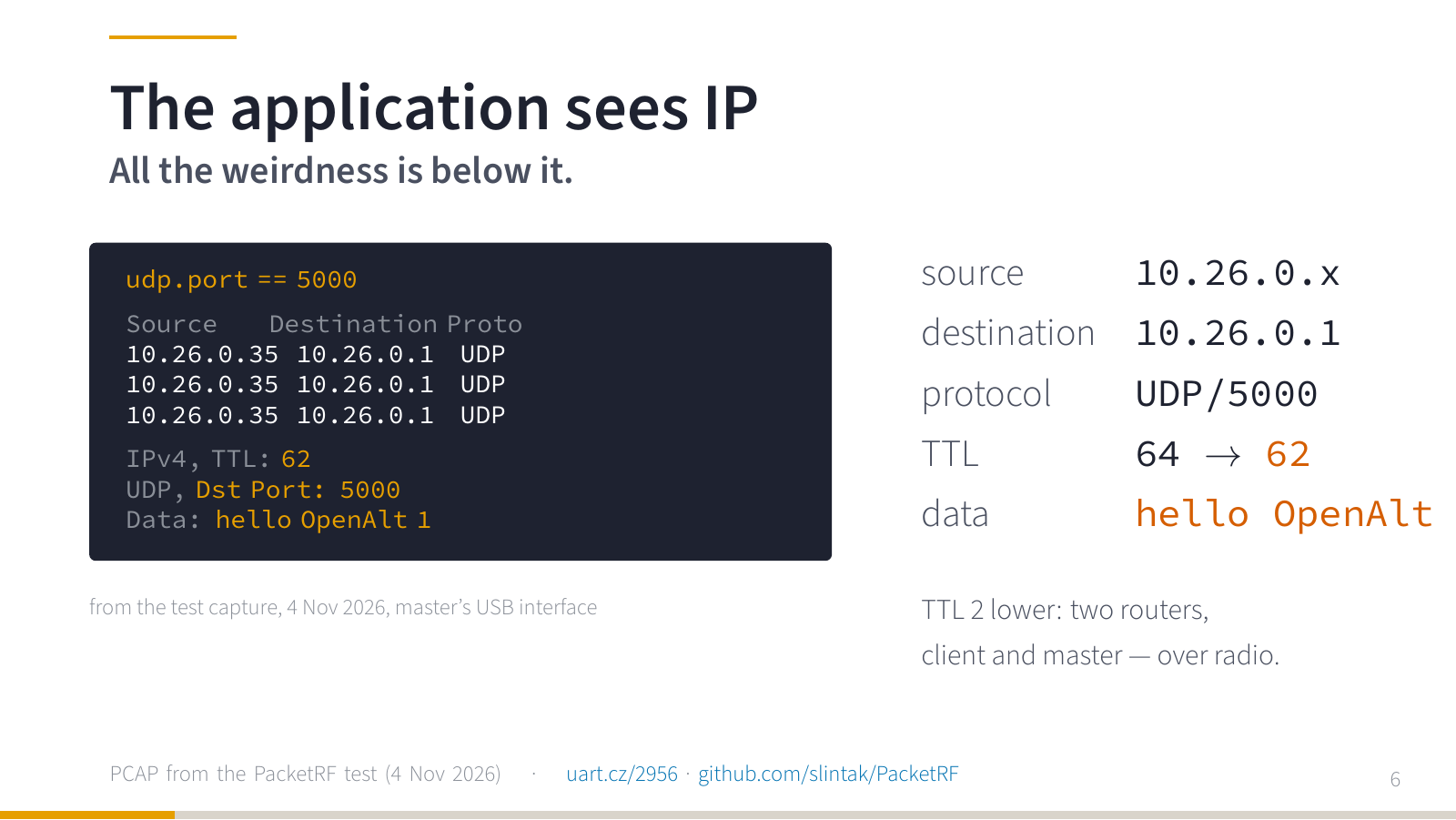
And here is the packet in Wireshark. Source address, destination address, UDP port 5000 and our message. The view on the slide is reconstructed from the packet capture of my test run.
For the application this was a completely normal network. Netcat did not need to know anything about antennas, radio channels or who is allowed to transmit right now. The only visible trace that something unusual happened on the way is the TTL: it left the volunteer’s laptop with 64 and arrived with 62. The two boxes are not a bridge. Each of them routes the packet.
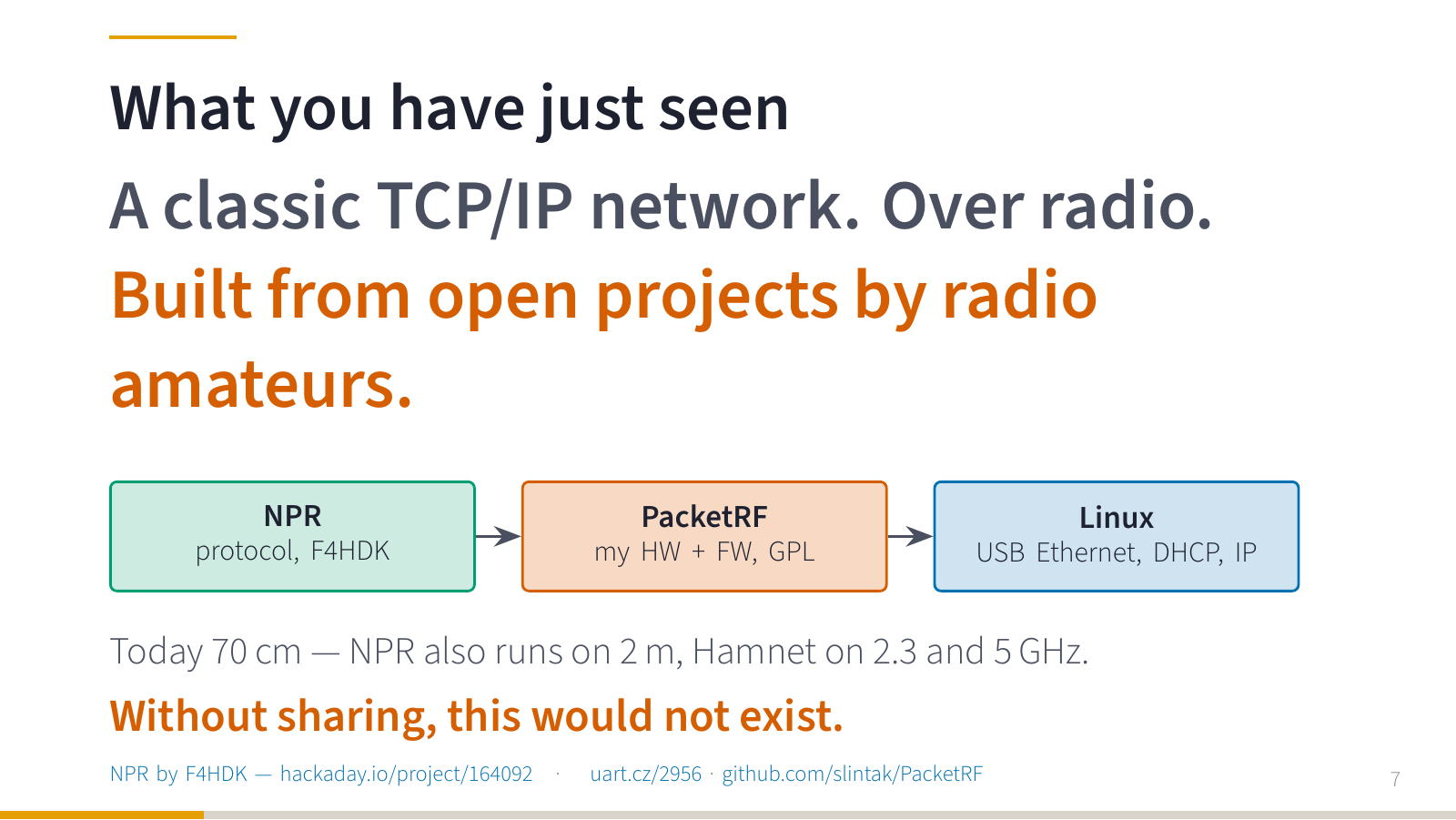
So what did you just see? A classic TCP/IP network. Netcat, Wireshark, nothing special — only instead of a cable or Wi-Fi there was a radio link in an amateur band in the middle.
And it is not the work of one company. The NPR protocol was designed and published by the French radio amateur F4HDK (project page). I built my own hardware and firmware on top of it and released them under the GPL (PacketRF). And Linux treats the box as an ordinary network interface, because everything underneath uses standards: USB Ethernet, DHCP, IPv4.
In the demo it ran on 70 cm, but NPR also runs on 2 m, and Hamnet (more about it later) links sites on 2.3 and 5 GHz.
Without radio amateurs sharing their projects, none of this would exist.
What is amateur radio?
After the demo I took a step back and asked the room: what comes to your mind when somebody says “amateur radio”?
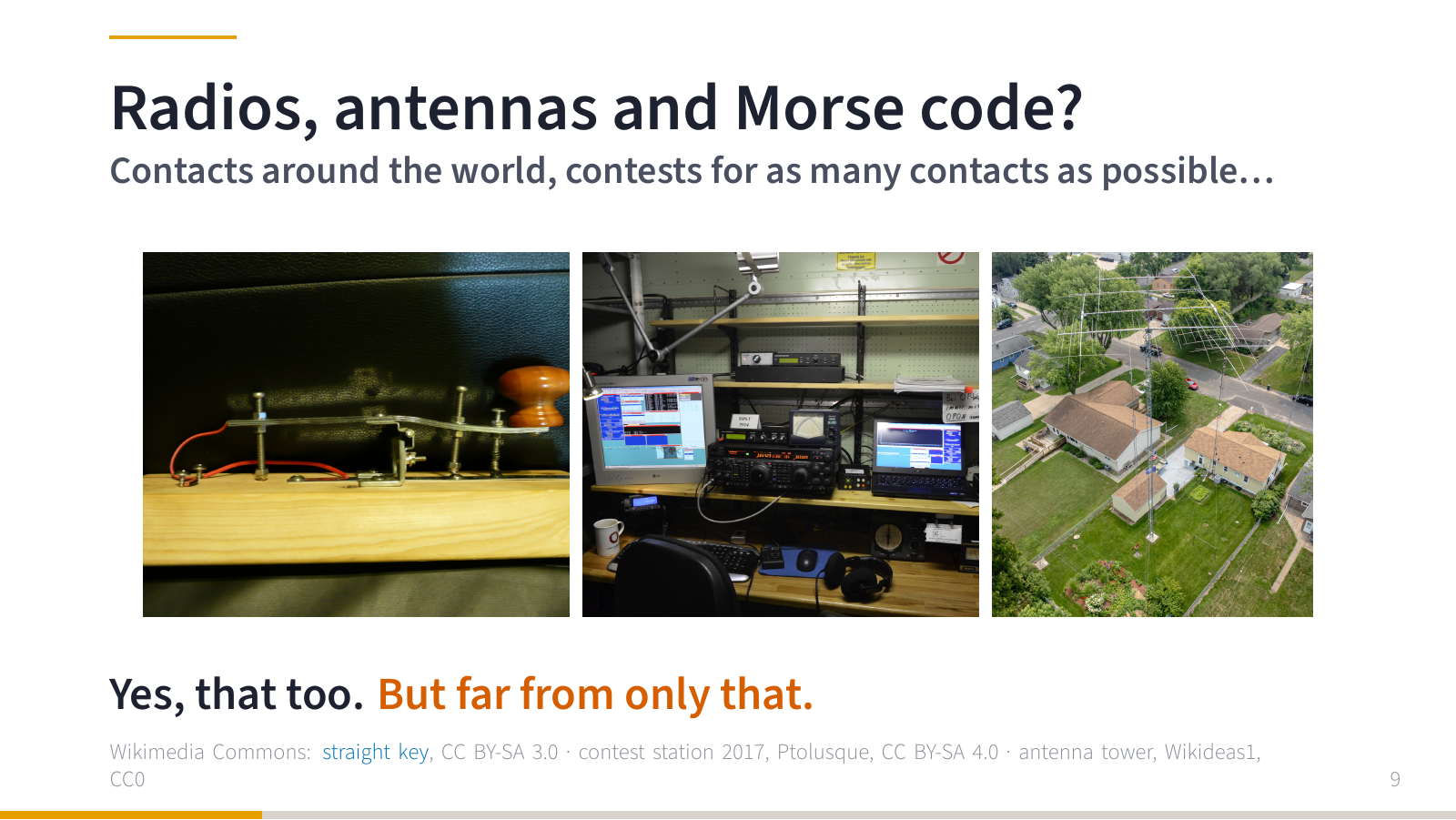
Somebody sitting at a radio in the evening, tapping Morse code? A group of people on a hill, competing over the weekend in how many contacts they can make? Contacts with the other side of the world?
Yes, that too. And it is legitimate and technically demanding. But it is far from all of it.
I really like how Chris Boden puts it in one of his short videos: amateur radio is not nostalgia for old radios. It is a ticket into the technologies the modern world runs on.
Wi-Fi, Bluetooth, LTE, 5G, GPS, satellites, LoRa. Information is flying all around us. Most people just use it. Radio amateurs want to know how it works.
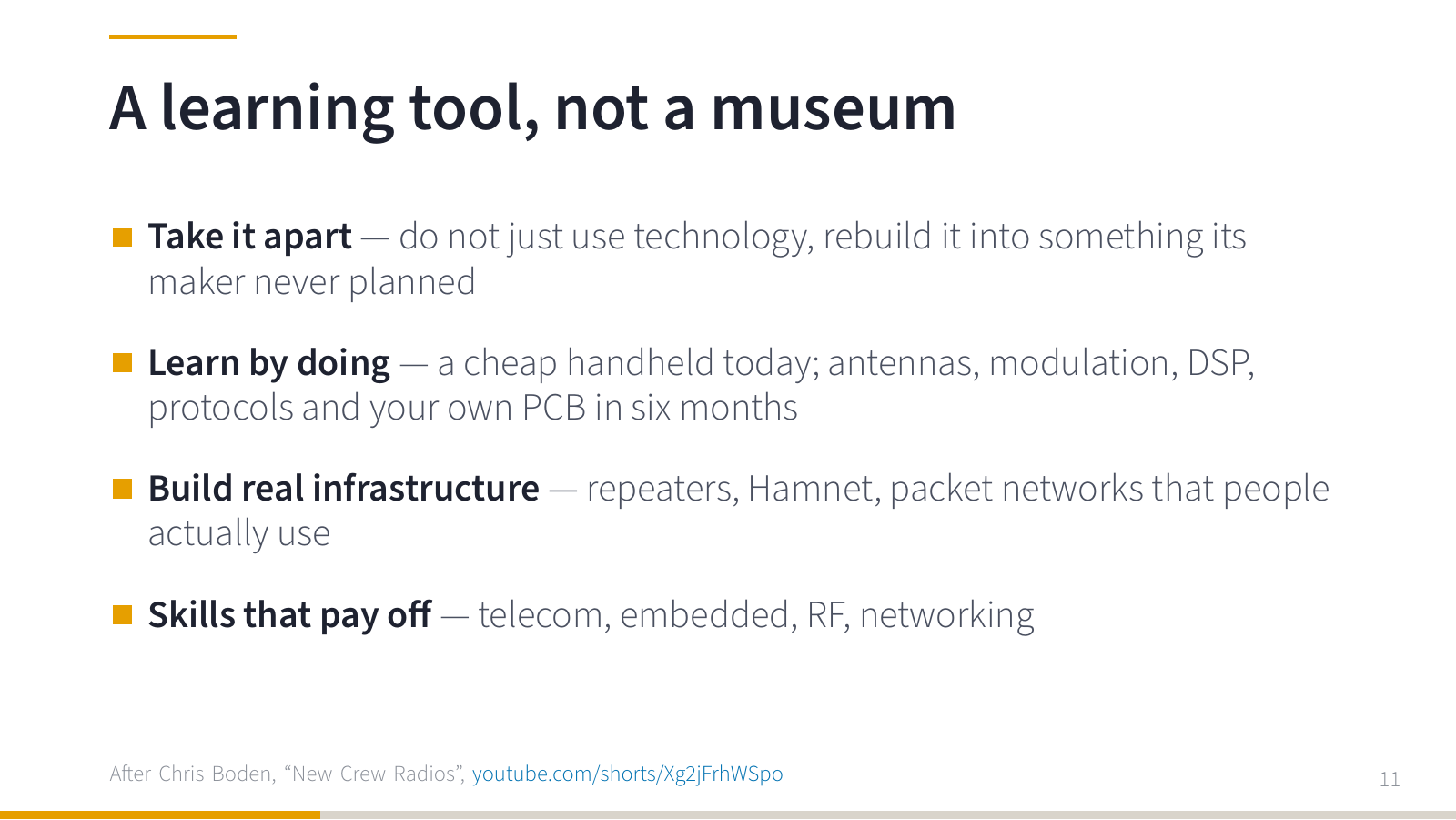
And they have an advantage: they are allowed to take the technology apart and rebuild it into something its manufacturer never planned.
You start with a cheap handheld radio. Half a year later you are dealing with antennas, modulations, signal processing, protocols, and you are designing your own PCB. You can build a real piece of communication infrastructure, a repeater or a network, and people actually use it. And by the way, exactly this kind of knowledge is what somebody in telecommunications, embedded or RF will happily pay you for.
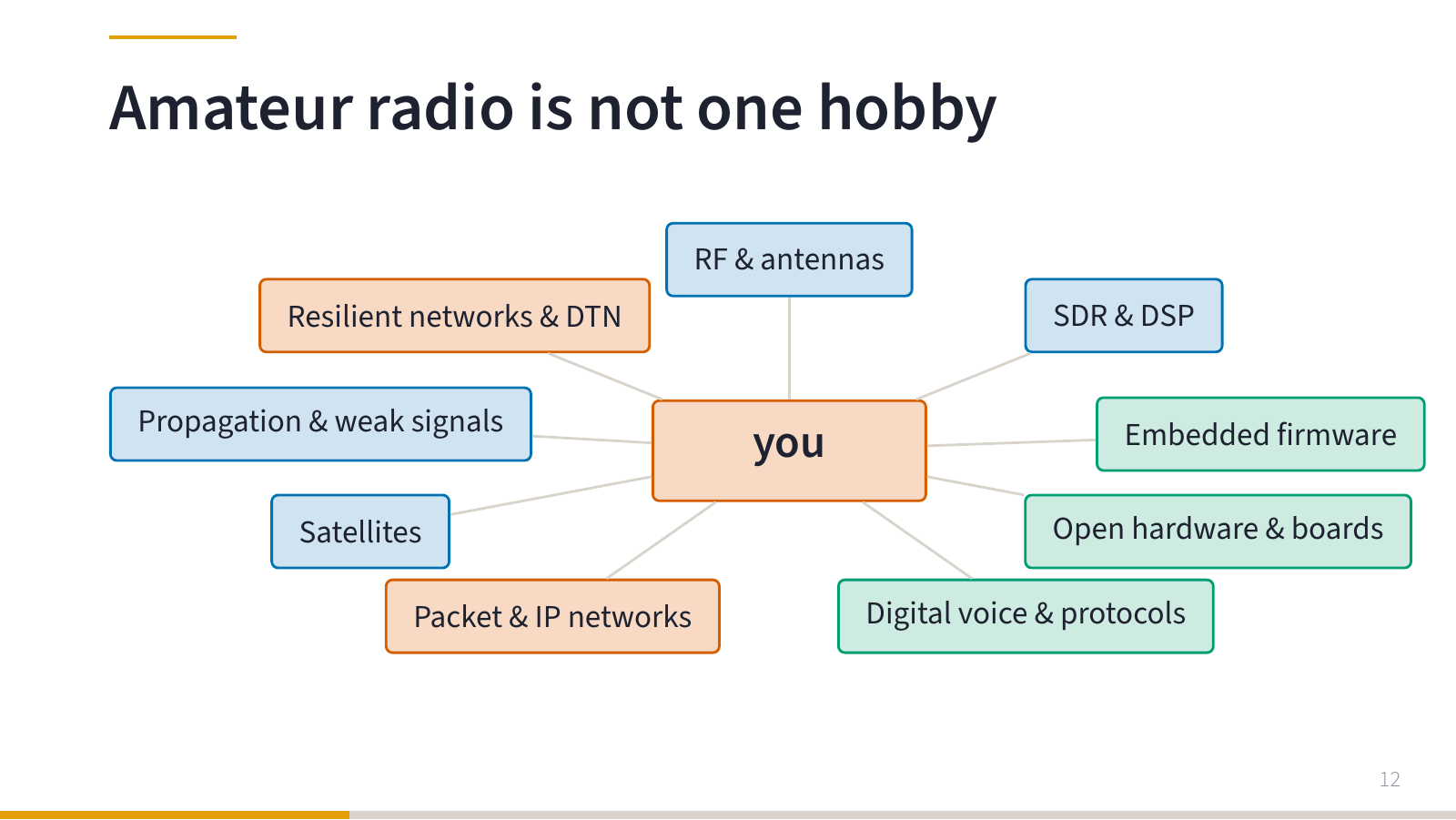
Amateur radio is not one hobby. A surprising number of interests fit under that name: RF and antennas, SDR and DSP, embedded firmware, open hardware and PCB design, digital voice and protocols, packet and IP networking, satellites, propagation and weak signals, resilient networks and DTN.
Somebody starts by writing a small parser. A few weeks later they have a soldering iron on the desk and a cable on the roof.
You do not have to like all of amateur radio. It is enough to find one area that catches you. Mine is the orange one in the map: networks.
How I got here
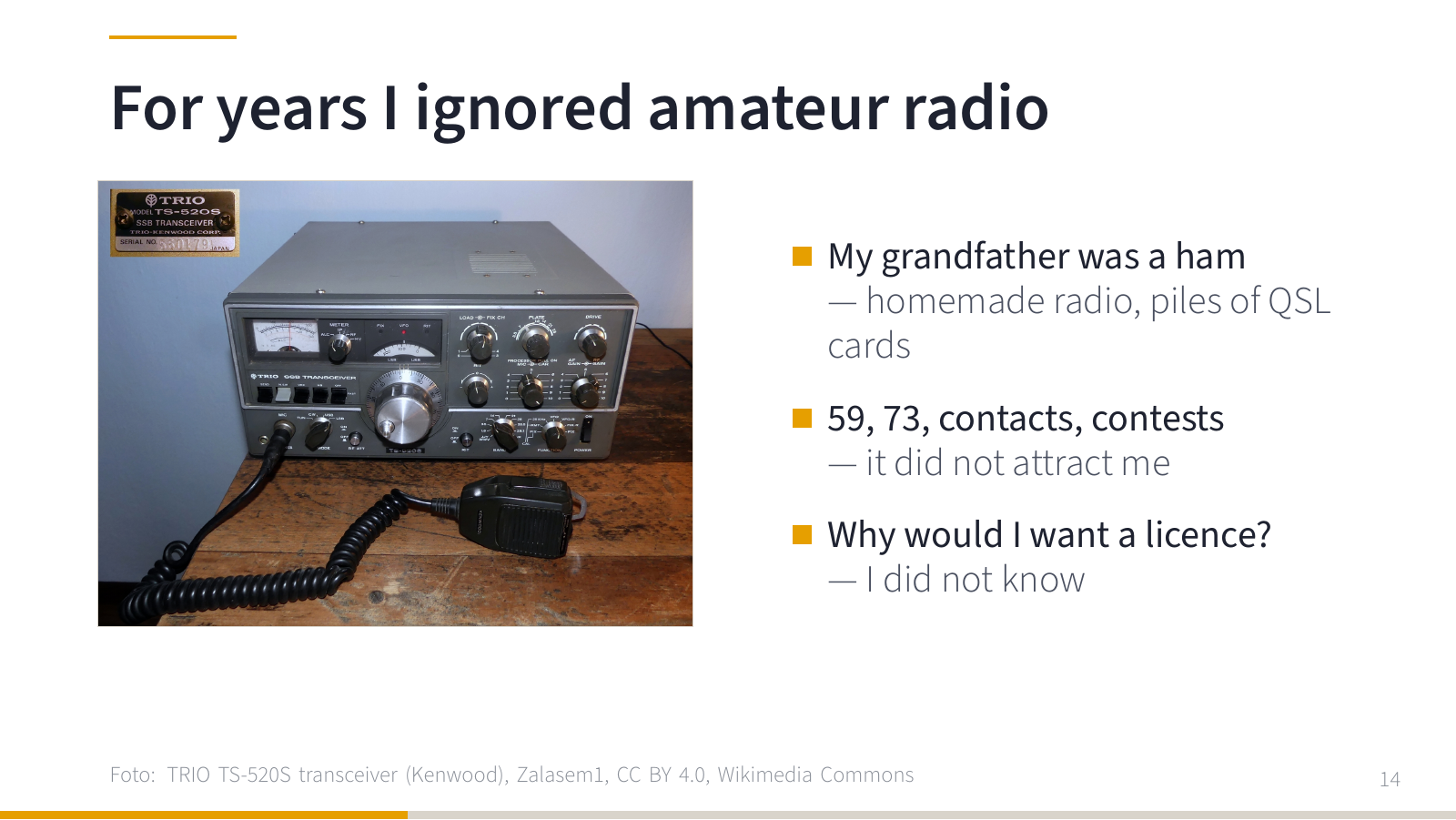
For a long time amateur radio simply passed me by. And I even had it in the family: my grandfather was a radio amateur. I remember his homemade radio, boxes of his own blank QSL cards (postcards that stations send each other to confirm a contact) and piles of cards that others had sent him.
So I knew what “59” and “73” mean, I knew about making contacts and about contests. And that was exactly what did not attract me. I did not know why I should want a licence.
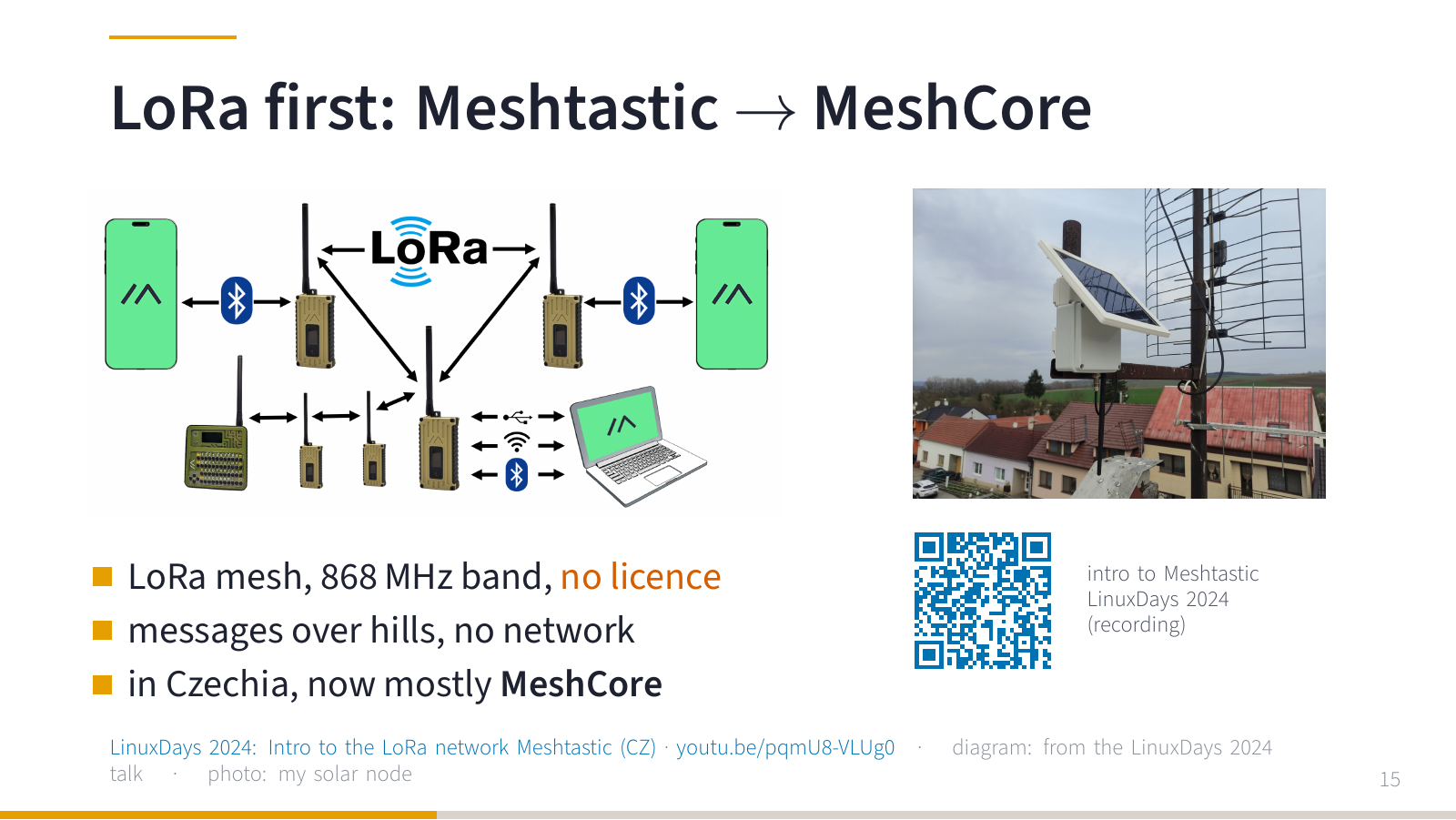
It clicked only through a detour: LoRa and Meshtastic. Small devices on 868 MHz that send messages across hills without any mobile network. And you do not need a licence for LoRa, so as long as I was playing with Meshtastic, I did not think about it at all. I built solar nodes for the roof and gave an introduction to Meshtastic at LinuxDays 2024. It is still a good introduction, although in the Czech Republic MeshCore has become more popular since then.
That was the first time radio and networks came together for me. And I started asking: what other radio networks are out there?
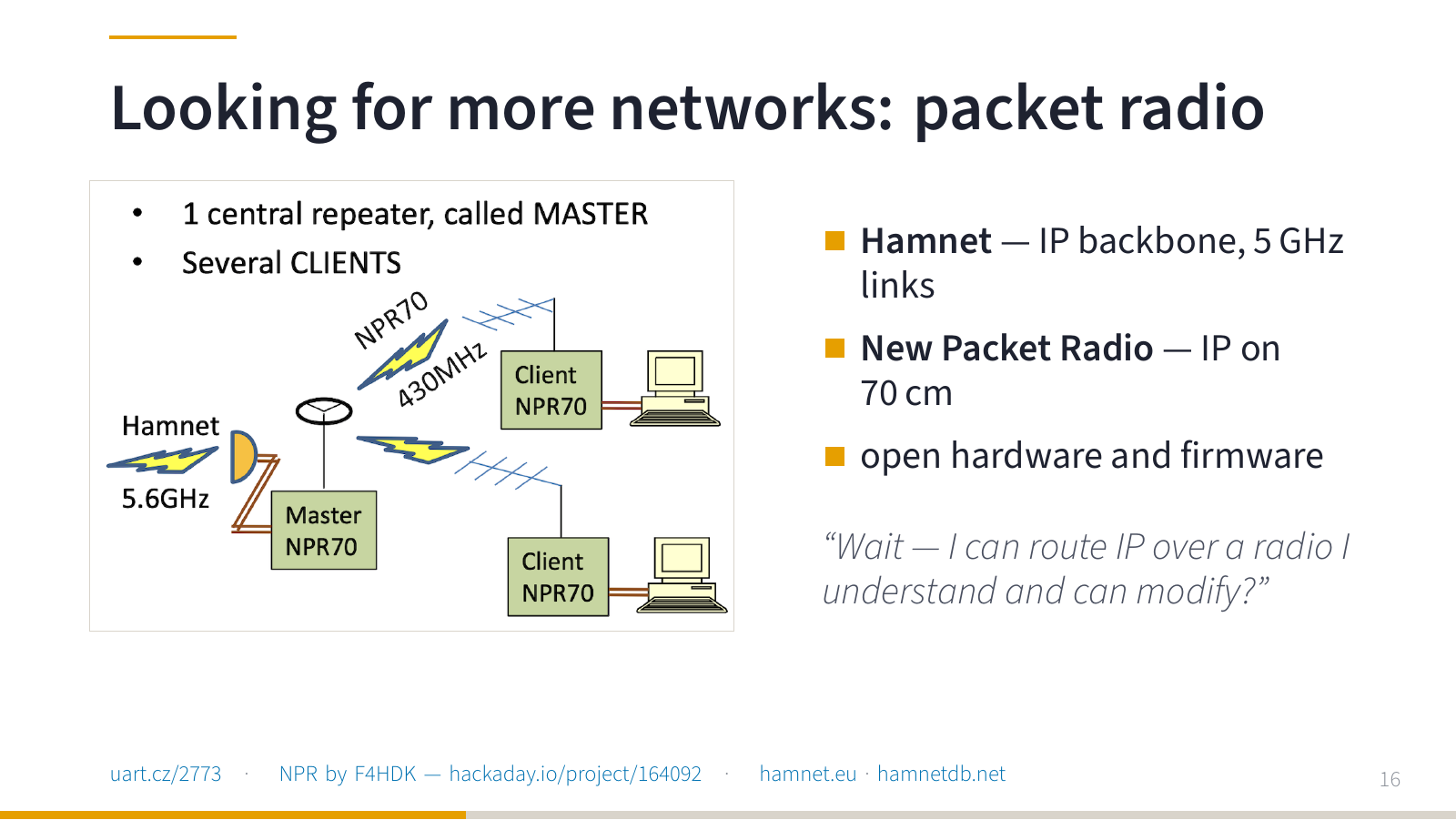
I found Hamnet and New Packet Radio. Suddenly I was looking at IP networks, radio modems, a documented protocol and hardware I could build myself.
Wait. I can take a packet from an ordinary computer, send it over my own radio and understand the whole path from the USB connector to the antenna? Now that is interesting.
But NPR and other amateur modes run in amateur bands, and there you need a licence. So first I bought a cheap handheld radio and for about half a year I just listened. Repeaters, operating practice, how people talk to each other on the band. I learned that world by listening.
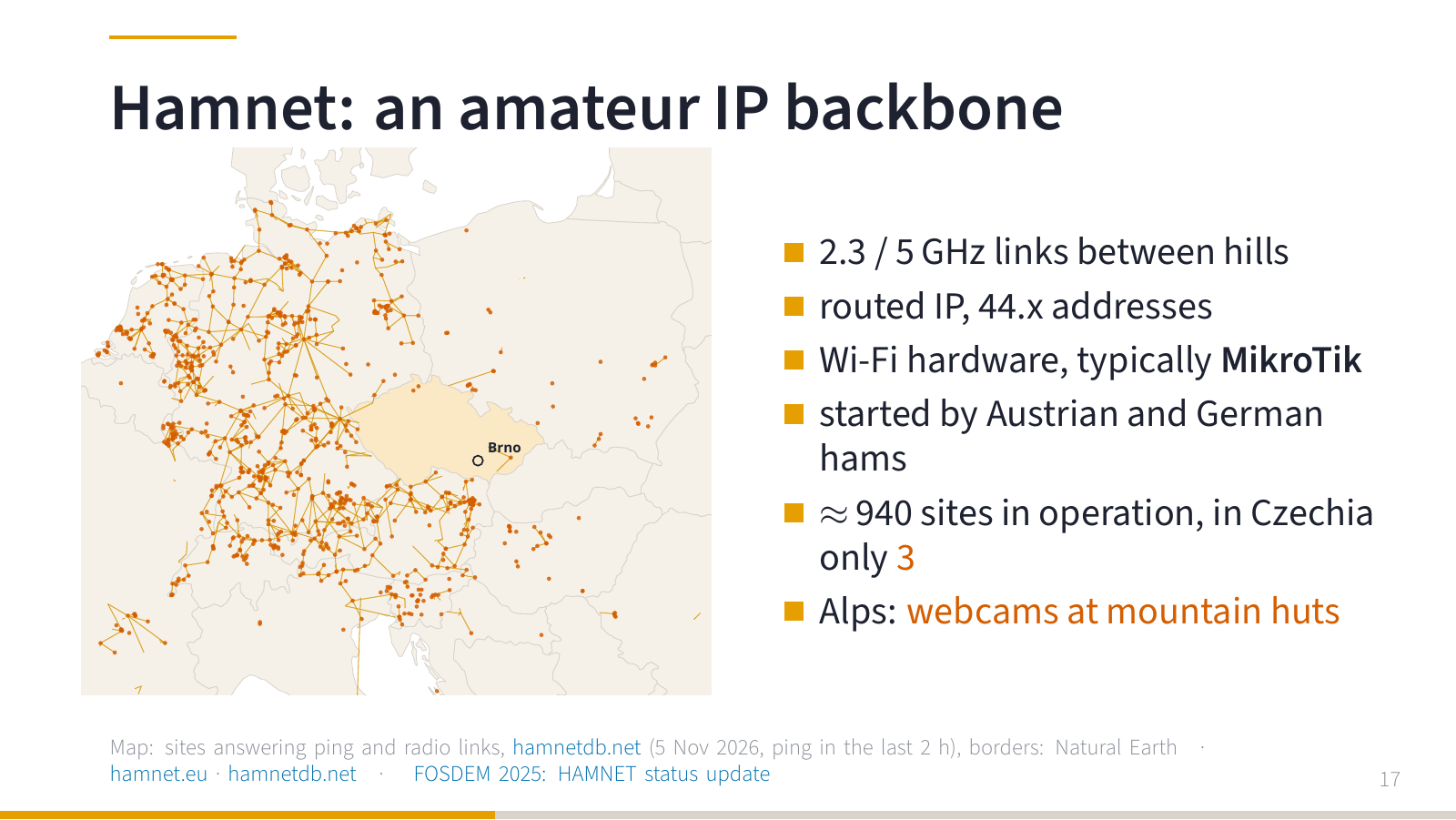
Hamnet is an amateur IP network. Links between hills on 2.3 and 5 GHz, ordinary Wi-Fi hardware (typically MikroTik), addresses from the 44.x range. It was built mostly by Austrian and German hams over roughly the last fifteen years, and the map shows how dense the network is there.
The map is generated from hamnetdb.net. It shows only sites where at least one host answered ping in the last two hours, plus the radio links between them (tunnels are not drawn). At the time of the snapshot that was about 940 sites in the map area. And now look at the Czech Republic. Three.
(A nice example of what it is good for: in the Alps they used Hamnet to connect webcams at remote mountain huts where no other connectivity reaches.)
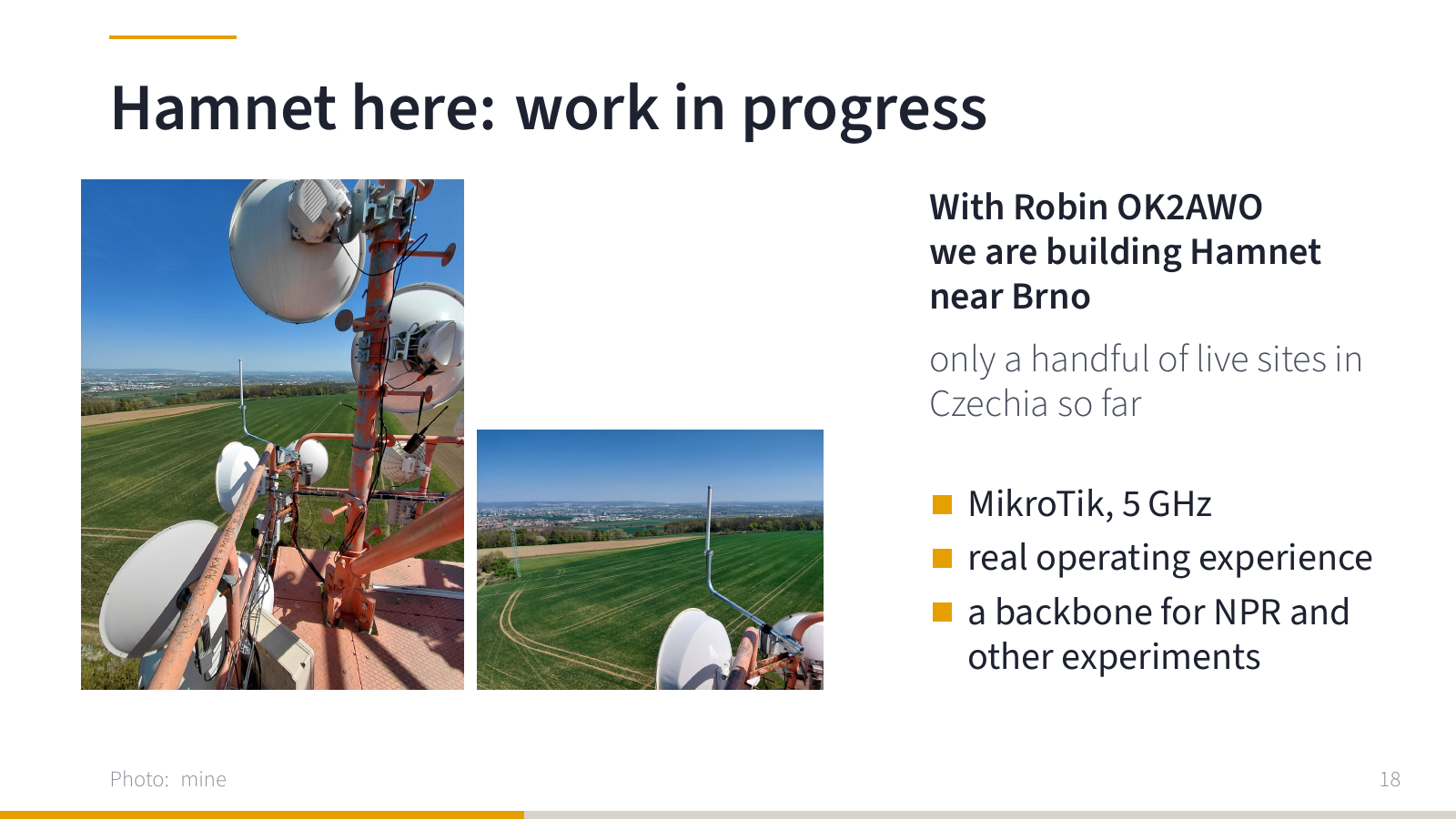
So we are trying to change that. Together with Robin OK2AWO, we are building Hamnet site near Brno. It is work in progress, the first links. For me it is mostly a school of real operation, and a backbone where NPR and other experiments can be connected. If you have a hill or a roof with a view, let me know.
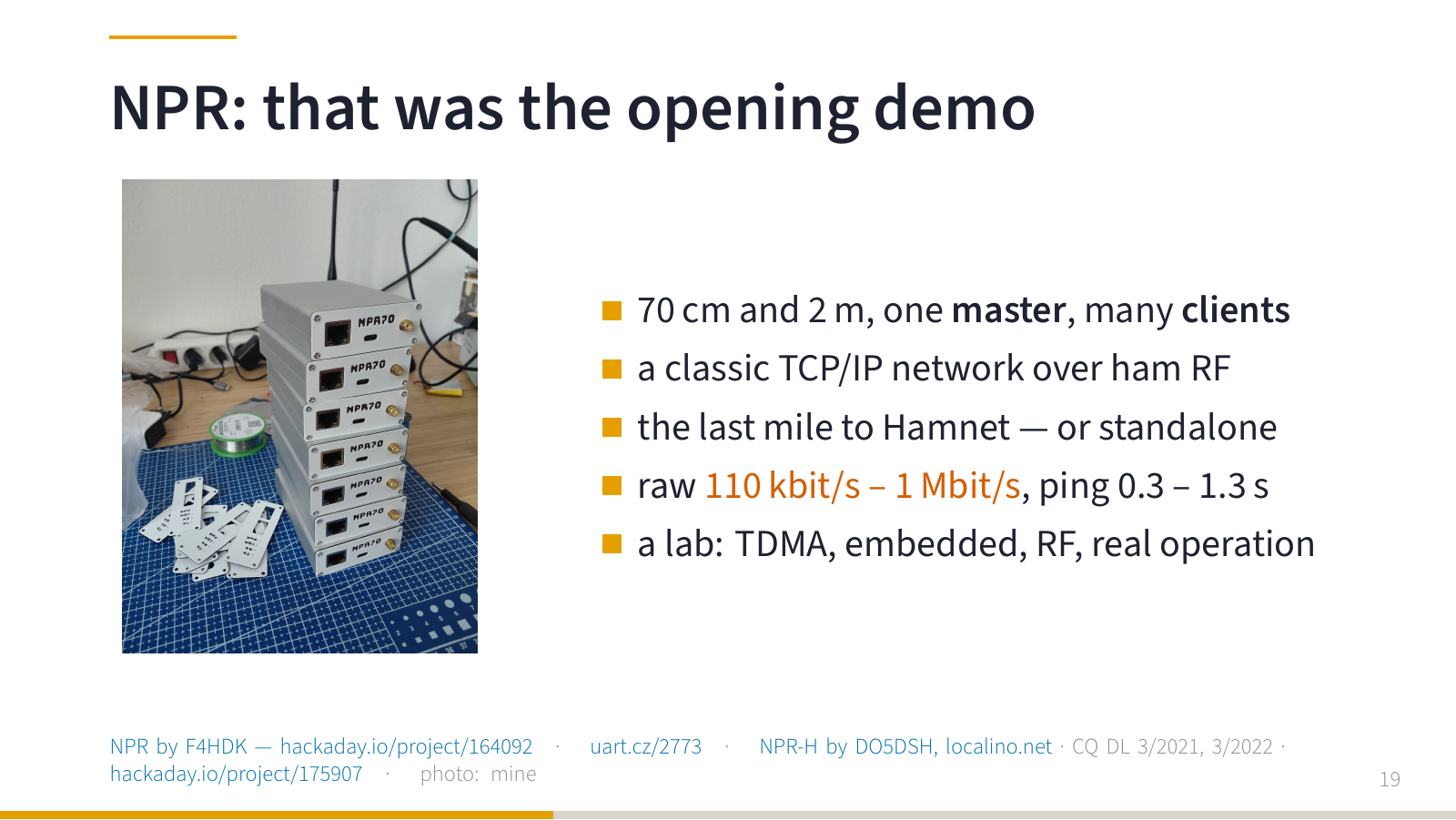
And now back to the box from the beginning. New Packet Radio is a system for carrying IP over radio in the 70 cm band. One master, many clients, a classic TCP/IP network over amateur radio. Could be the last mile to Hamnet but also on its own.
Do not expect gigabits. The raw data rate of NPR is somewhere between 110 kbit/s and 1 Mbit/s depending on the configuration, and the useful throughput is lower, because the channel is shared and stations take turns transmitting (TDMA, half duplex). Ping in my short test was between 0.3 and 1.3 seconds. I have not measured throughput properly yet, so I will not give you a number.
But that is exactly what makes it a great lab. You learn what TDMA and a shared channel really mean. You do embedded development. You do RF engineering. And you get real operating conditions that no simulator will give you.
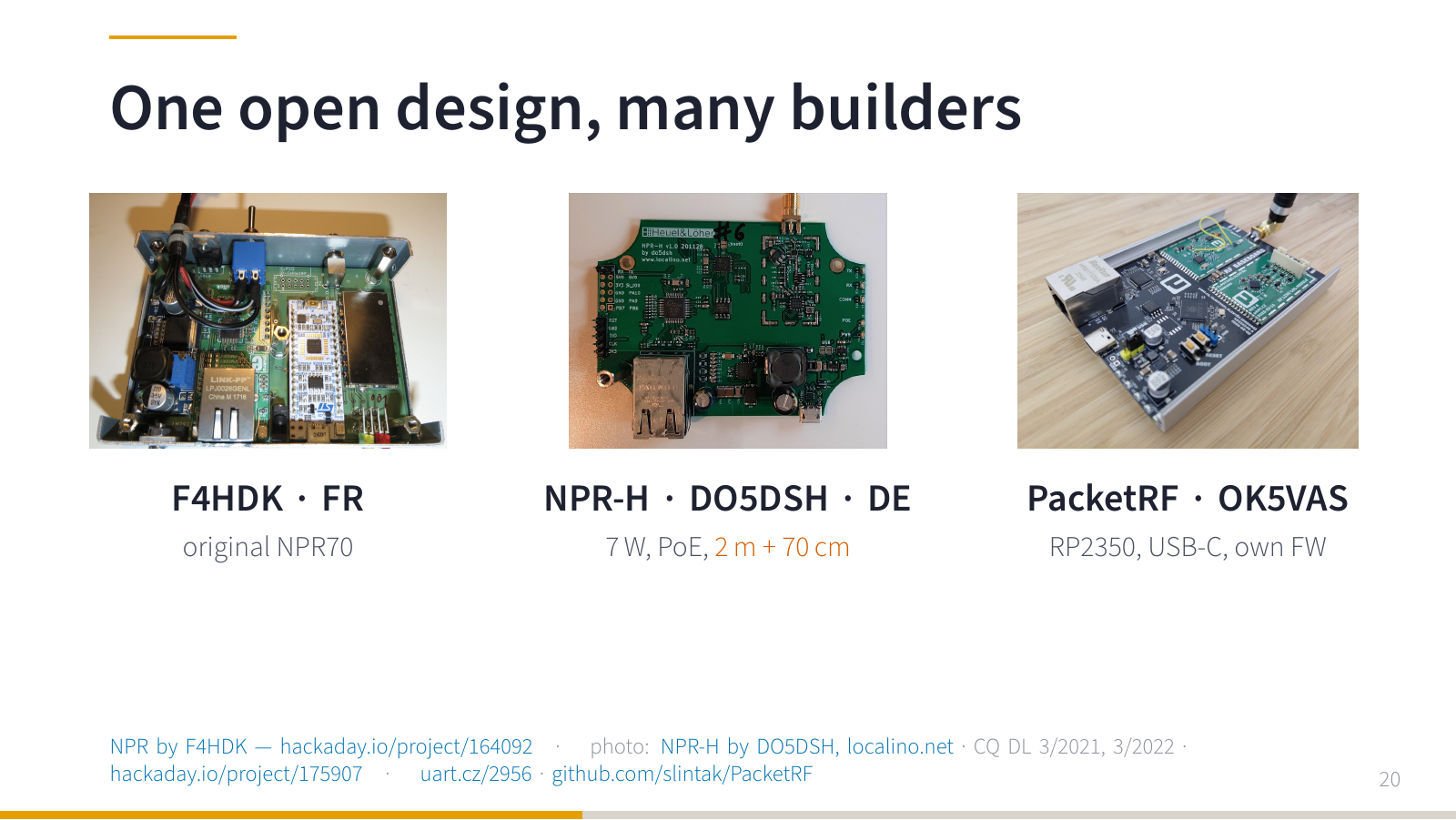
NPR was designed by Guillaume F4HDK (project page). Because it is open, other people build on it. In Germany there is NPR-H by DO5DSH: up to 7 W, power over Ethernet, versions for both 2 m and 70 cm. And my project is PacketRF: new hardware with RP2350, USB-C and my own firmware, compatible with the original NPR modems.
Note: NPR is the system and the protocol I build on. PacketRF is my implementation and a platform for further experiments.
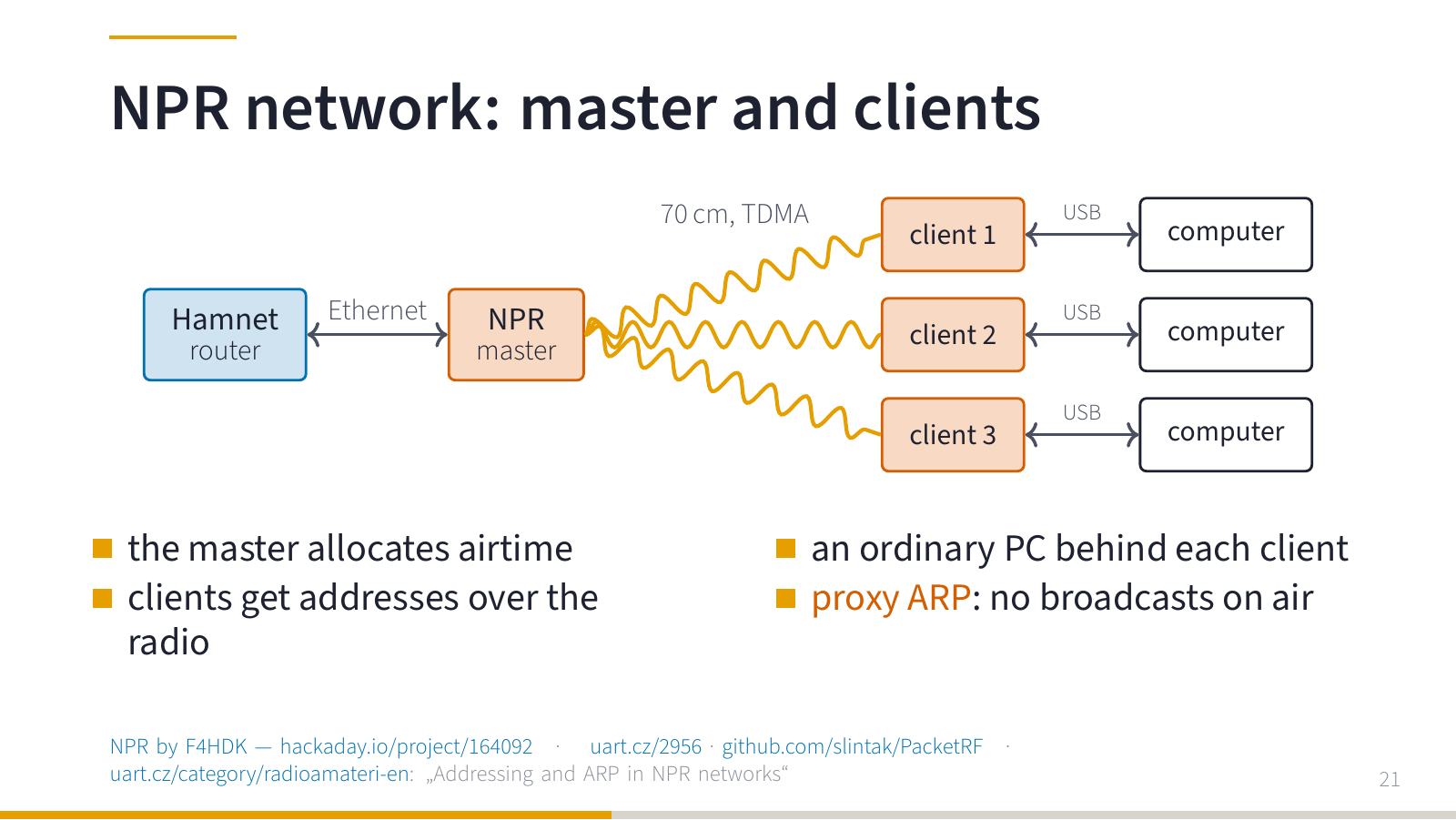
How does it look in a real network? The master stands on a hill next to a Hamnet router, clients are around it. And here it gets interesting for network people.
Imagine that this whole room has to share one microphone. While I hold it, nobody else can speak. If two people start talking at once, nobody understands either of them. That is why in NPR the master divides time on the channel: now you transmit, then the next station. That is TDMA.
And one more detail: ARP. A computer that wants to reach an address in its own subnet sends a broadcast asking “who has this IP?”. On radio, every broadcast would cost everybody airtime. So the modem answers on behalf of the remote station: proxy ARP. The computer thinks it is in a normal network, and not a single ARP query goes over the air. I wrote about this in more detail in Addressing and ARP in NPR networks.
From the outside it looks like a small thing: a network interface appeared. Inside, somebody had to decide how to translate it to RF world. And when you have the source code, you can look into it, measure, change and compare.
The demo at the beginning was the smallest possible network: one client, and my laptop instead of a Hamnet router.
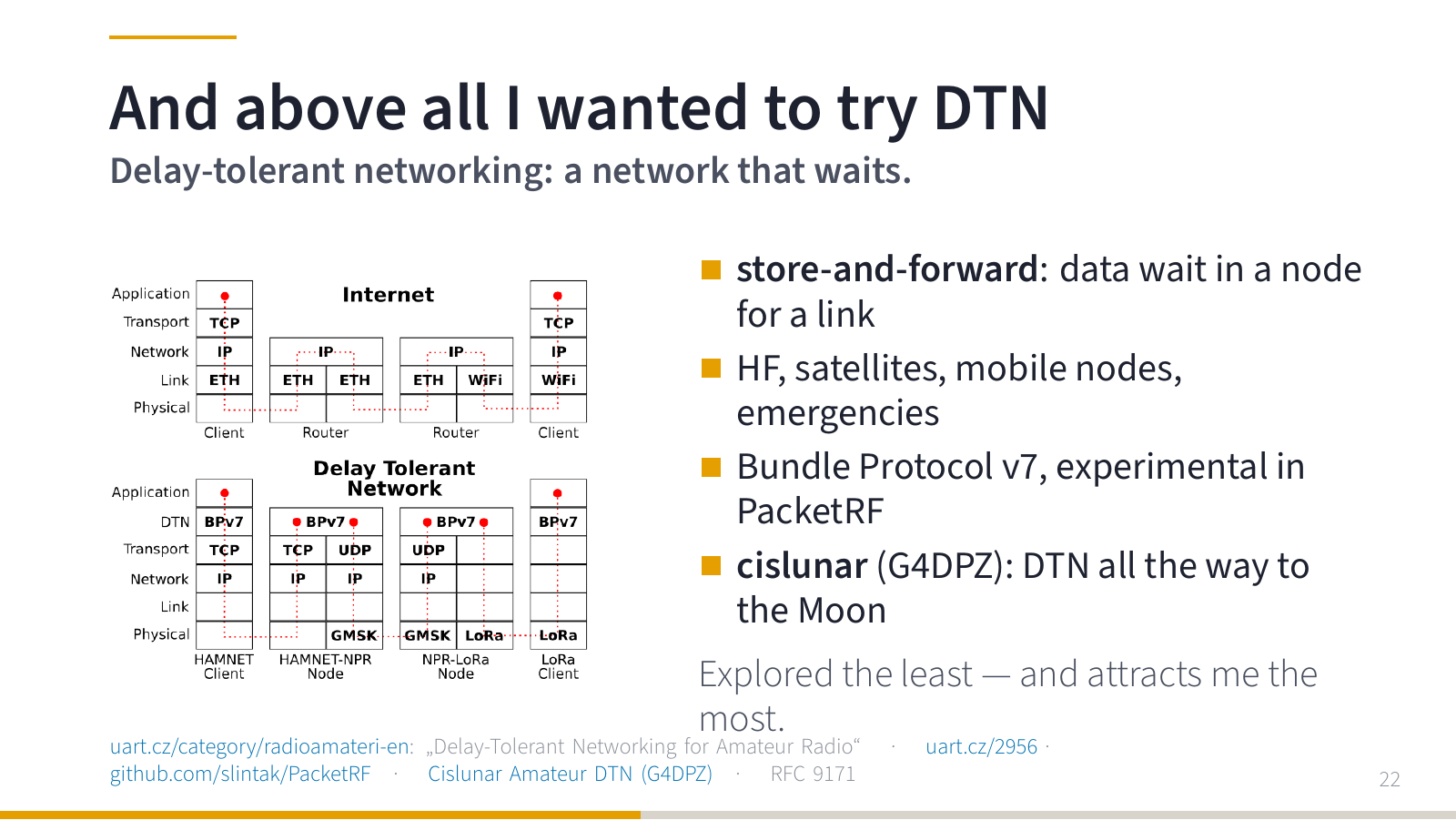
And now the thing that attracts me the most. The internet assumes that the other side is reachable right now. But a radio station can be switched off, out of range, or waiting for better conditions.
Delay-tolerant networking counts on that: store the message and forward it when the opportunity comes. Store and forward, Bundle Protocol v7 (RFC 9171). For radio it is ideal: HF links that depend on propagation, satellite passes, mobile nodes, outages. In PacketRF it is still an experiment (the firmware has an optional Bundle Protocol layer, which was switched off for the demo), not a finished feature. But it is the direction I want to go. More in Delay-Tolerant Networking for Amateur Radio.
And I am not alone in this. The Cislunar Amateur DTN project by G4DPZ builds DTN for radio amateurs on NASA JPL’s ION implementation over AX.25 links. The terrestrial phase is done, the next steps are QO-100, a CubeSat, and eventually the Moon.
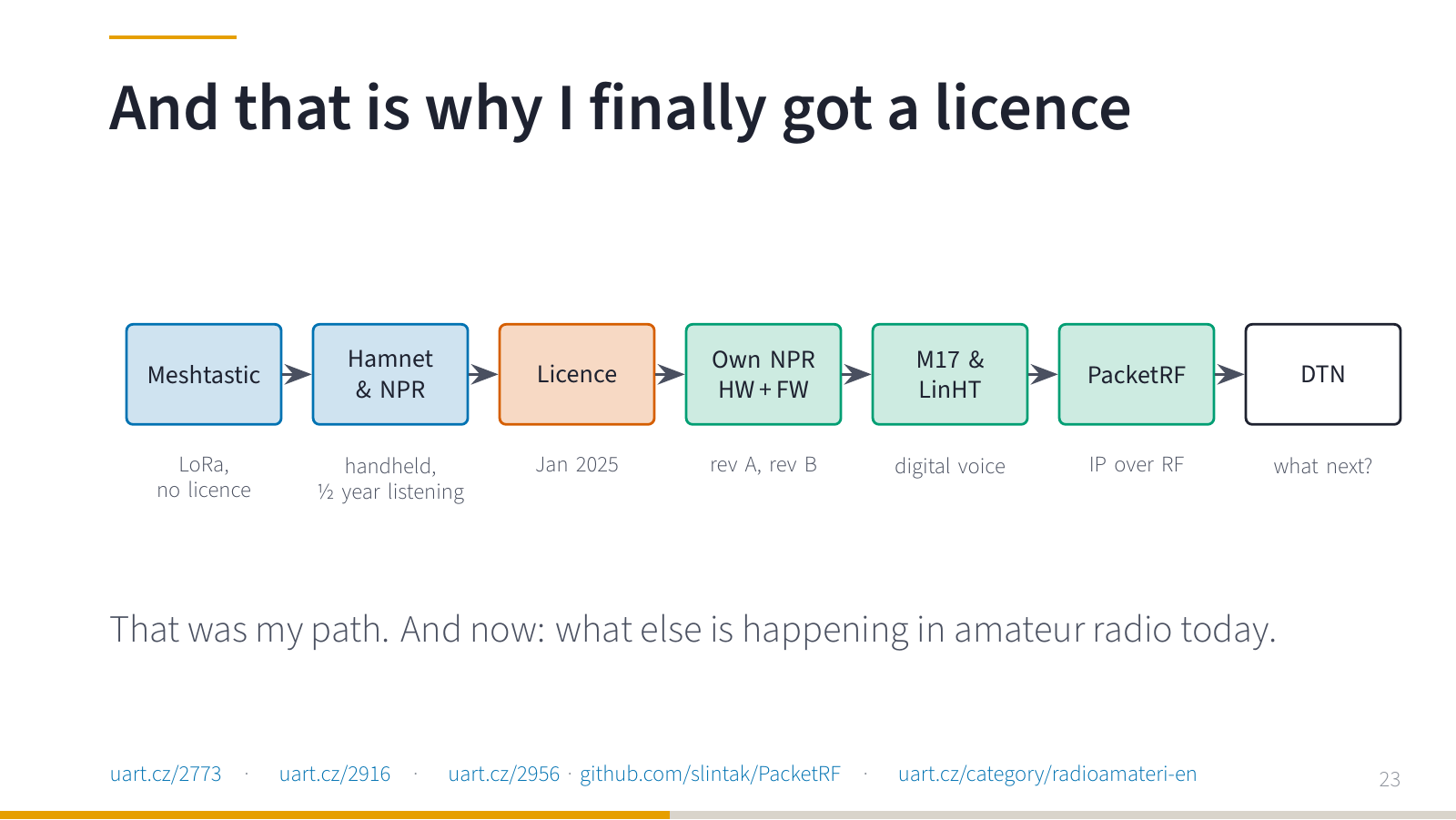
So, in short: Meshtastic without a licence. Then Hamnet and NPR, half a year of listening with a handheld, and in January 2025 the licence. Then my own NPR hardware and firmware, M17 and LinHT, PacketRF, and now DTN.
That was my path. And now let’s look at what hams do today.
What hams do today
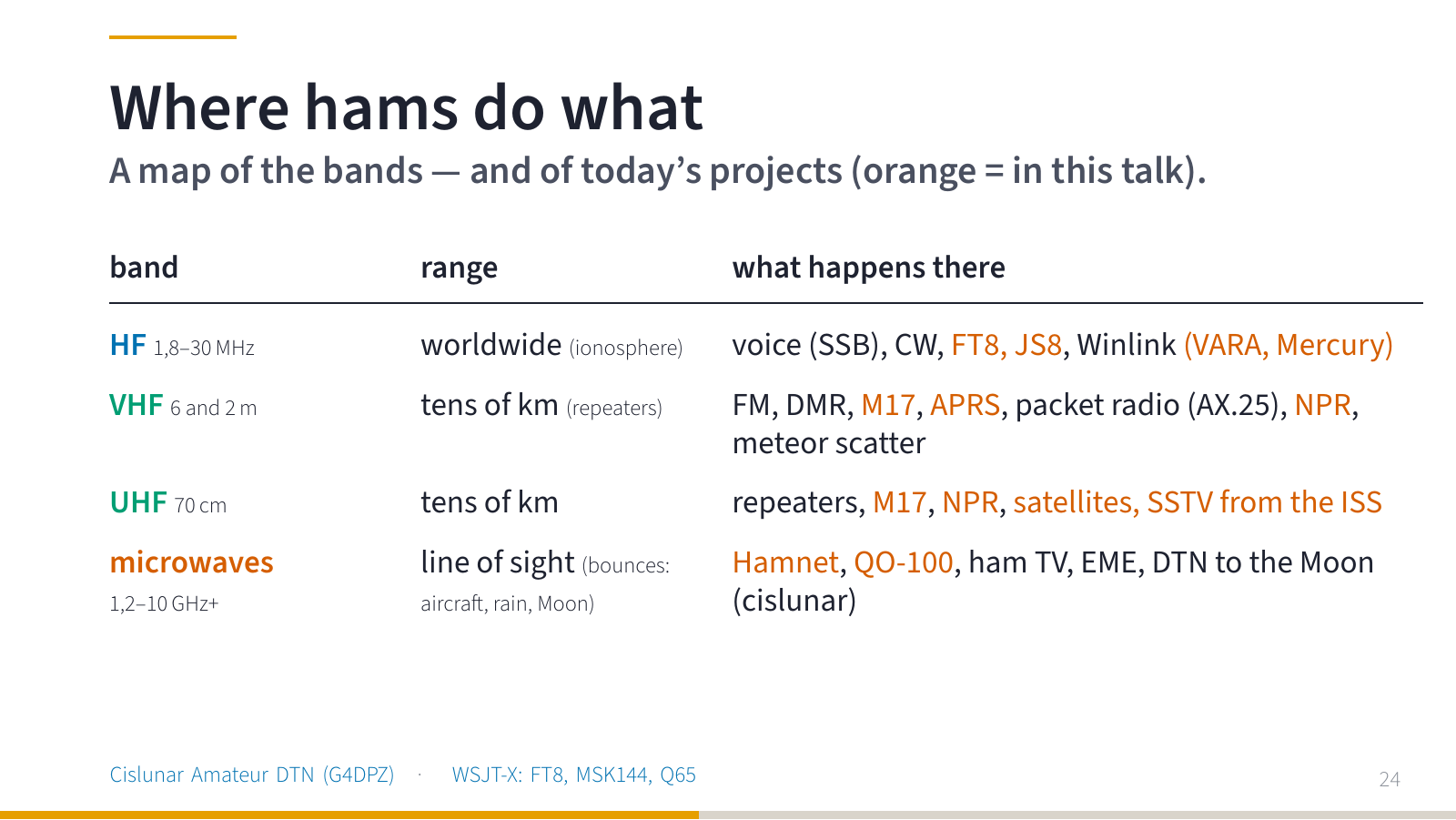
Here is a map. We will go through it from top to bottom, band by band, so we do not have to jump back and forth.
| Band | Frequencies | Range | What happens there |
|---|---|---|---|
| HF (160–10 m) | 1.8–30 MHz | worldwide, the signal bounces off the ionosphere | voice (SSB), CW, FT8, JS8, Winlink e-mail (VARA, Mercury) |
| VHF (6 m, 2 m) | 50 MHz, 144–146 MHz | tens of km, further via repeaters; meteor scatter | FM repeaters, DMR, M17, APRS (144.800 MHz in Europe), the original packet radio (AX.25, 1200 Bd since the 1980s), NPR, meteor scatter (MSK144), the ISS |
| UHF (70 cm) | 430–440 MHz | tens of km | repeaters, M17, NPR, satellites, SSTV from the ISS |
| Microwaves (23, 13, 6, 3 cm…) | 1.2–10 GHz and up | line of sight — but also bounces off aircraft, rain and the Moon (EME) | Hamnet (2.3/5 GHz), QO-100 (2.4 GHz up, 10.5 GHz down), ham TV, EME (Q65, CW), DTN to the Moon (cislunar) |
HF: around the world
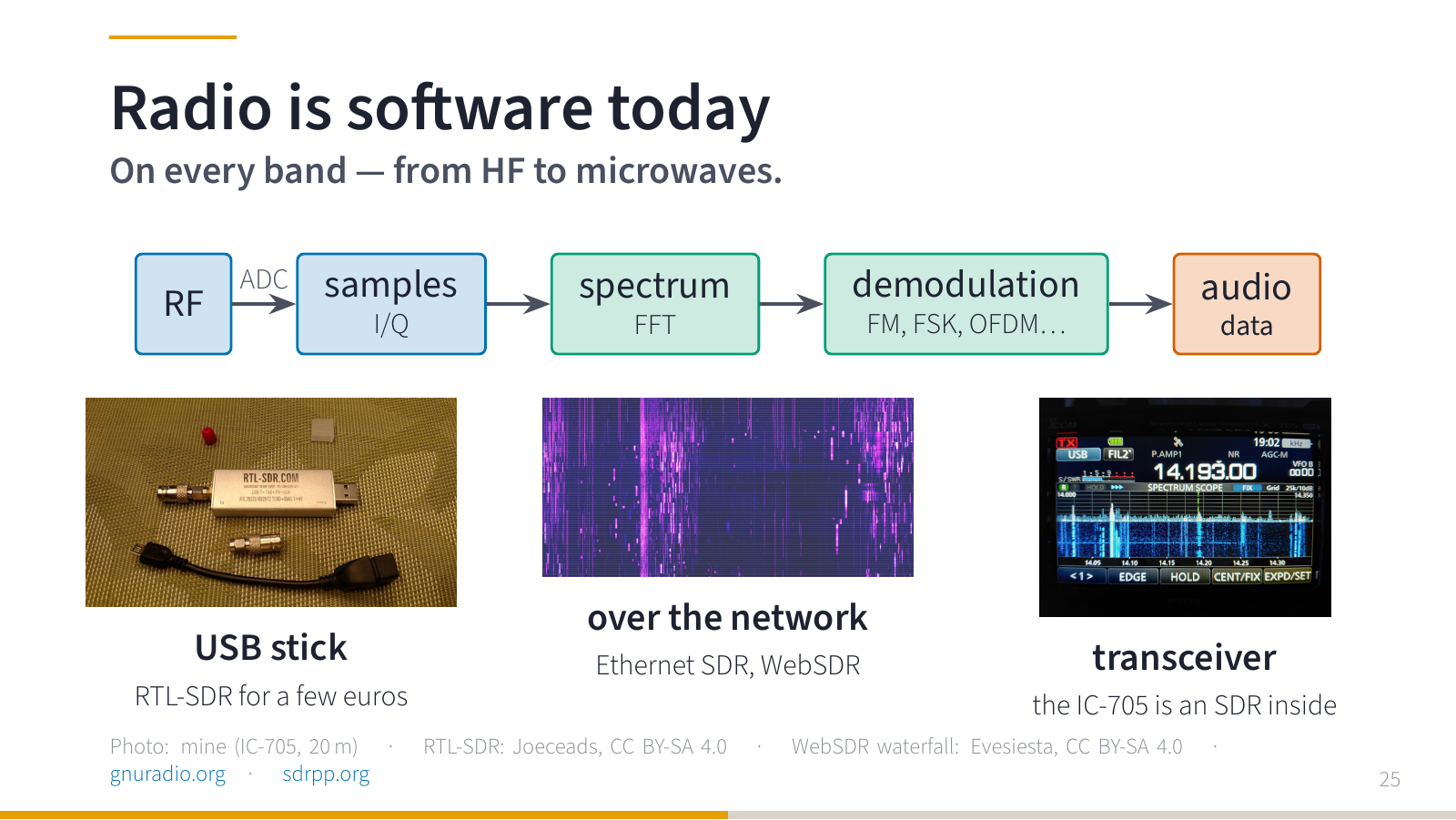
Before HF, one thing that applies to every band: radio is software today.
When you turn the knob on an ordinary radio, you select a station and get sound. With SDR you get the signal into the computer as a stream of samples, and only software decides what to do with it. Filter it, shift it, display it, decode it. Store it and come back to it later.
And it is not special hardware. It can be a USB stick (an RTL-SDR for a few euros), a receiver on the network (an Ethernet SDR or a public WebSDR you open in a browser), or a normal transceiver. My IC-705 is an SDR inside: on its display you see the spectrum and the waterfall — horizontally frequency, vertically time, colour is signal strength.
And for programmers the best part: you record a piece of spectrum (I/Q samples) and tune your decoder again and again on the same recording. You do not have to wait until somebody transmits the same thing again. GNU Radio gives you blocks (source, filter, demodulator) and you add your own code. A great free introduction is PySDR.
The procedure is always the same: first I see the signal, then I find out how it is made, and finally I get data out of it.
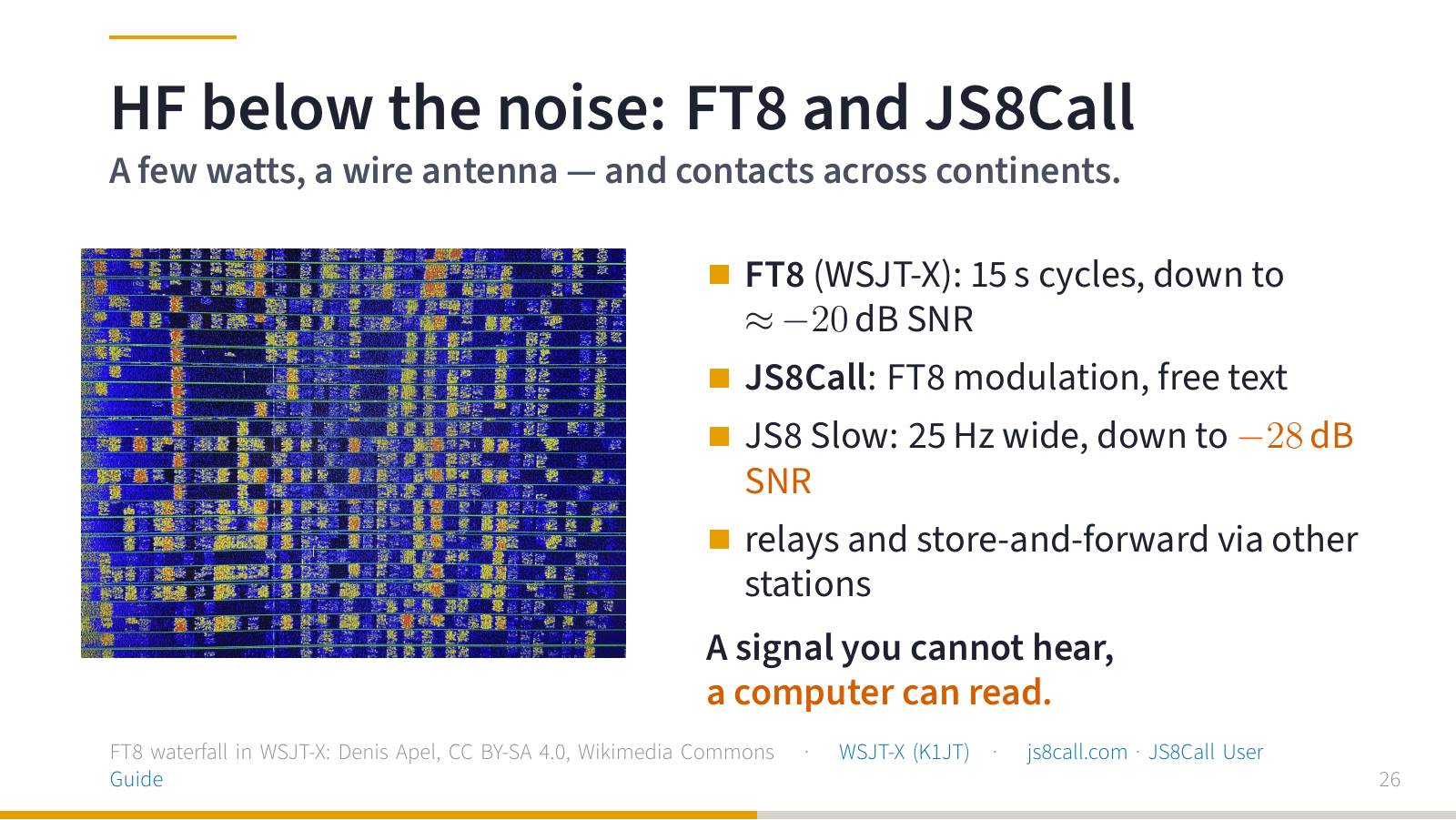
One thing that really got me on HF: digital modes for weak signals. FT8 (WSJT-X by K1JT) decodes signals around 20 dB below the noise. JS8Call uses the same modulation, but sends free text messages, and in its slowest mode it gets down to −28 dB. And it can relay messages through other stations: store and forward. A small DTN on HF.
A few technical details, because they are what makes this work. The radio is tuned to one frequency in SSB mode (for example 14.074 MHz for FT8 on 20 m, 7.078 MHz for JS8 on 40 m) and the whole activity happens inside the audio passband of that one channel, roughly 200–3000 Hz. One FT8 signal uses only 50 Hz: eight tones spaced 6.25 Hz. So dozens of stations fit into one channel at the same time, and every stripe in the waterfall is a different station, often from a different continent. Transmissions are synchronised to 15-second slots, a message carries 77 bits and is protected by strong forward error correction (LDPC plus CRC). That is why a signal about 20 dB below the noise in a 2.5 kHz bandwidth can still be decoded.
| Mode | Bandwidth | Period | Decodes down to (SNR in 2.5 kHz) |
|---|---|---|---|
| FT8 | 50 Hz | 15 s | ≈ −20 dB |
| JS8 Normal | 50 Hz | 15 s | ≈ −24 dB |
| JS8 Slow | 25 Hz | 30 s | ≈ −28 dB |
| JS8 Fast | 80 Hz | 10 s | ≈ −20 dB |
| JS8 Turbo | 160 Hz | 6 s | ≈ −18 dB |
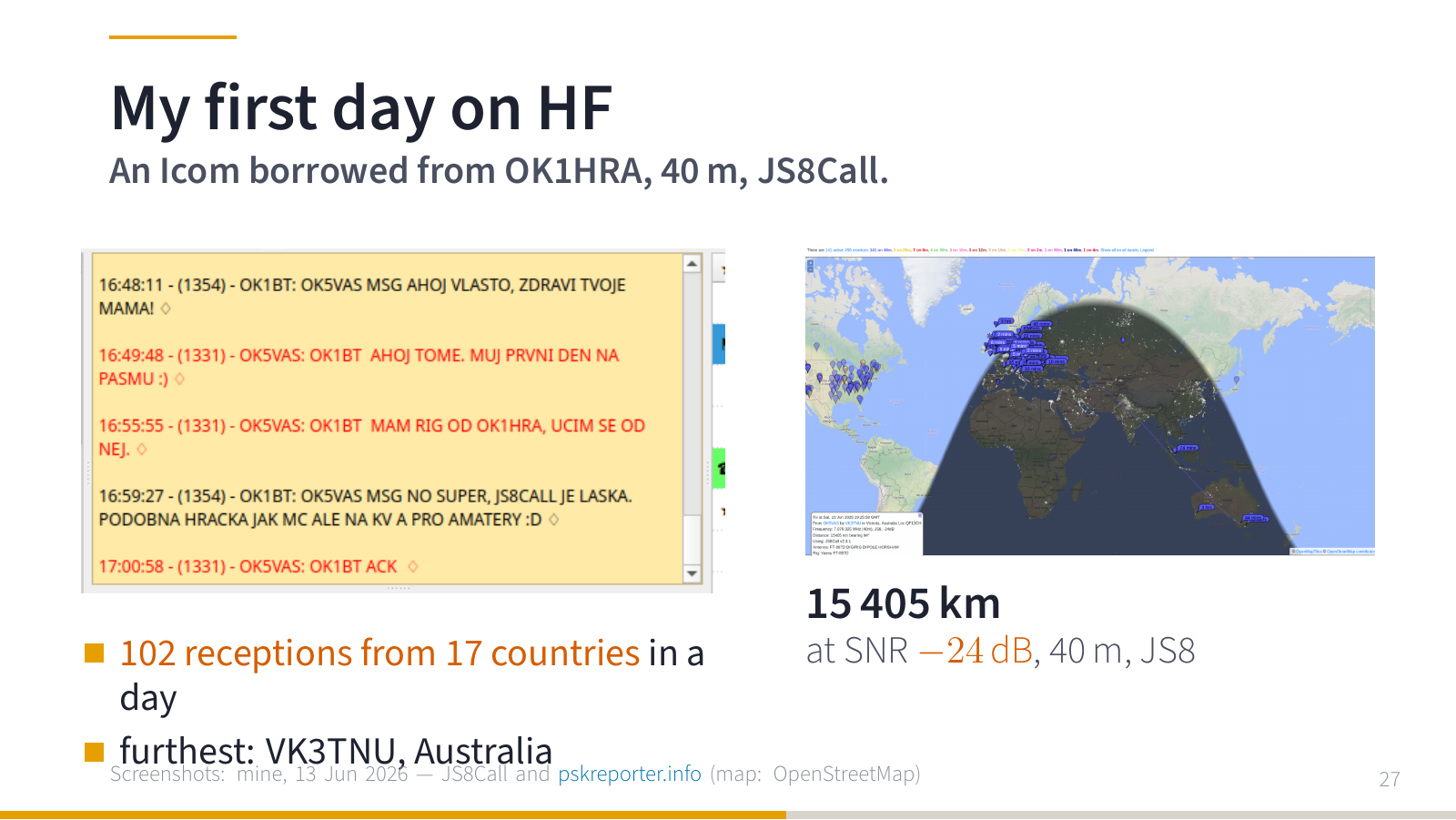
I started with HF using a radio lent to me by OK1HRA. I built my first wire antenna and tried JS8Call. First the purely technical part got me: setting everything up and connecting it together. And then you wait to see whether an answer comes back.
I sent a heartbeat, a short “I am on the band”, and stations around started answering. It works. My software, the radio and an antenna I built myself.
And then the night came. In one day there were 102 reports that somebody received me, from 17 countries (PSK Reporter). The furthest was a station in Victoria, Australia: 15 405 km, at −24 dB below the noise.
A toy similar to MeshCore, but on HF and for hams.” And with that, my circle from LoRa closed.
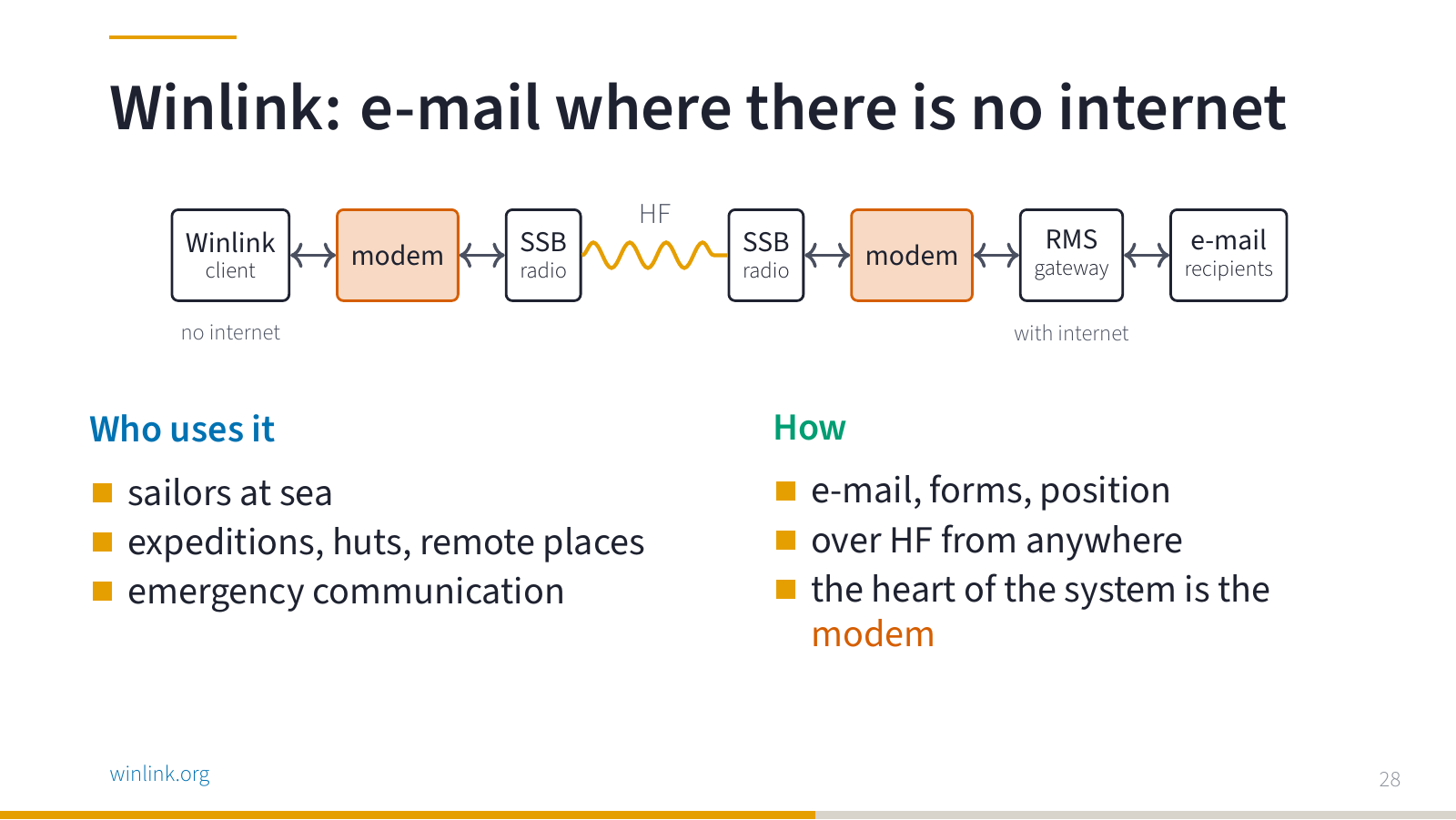
Now data on HF. Imagine you are on a boat in the middle of an ocean, on an expedition, or at a mountain hut with no signal. No internet. But you have a radio.
Winlink is e-mail over radio. On your side there is a client, a modem and an ordinary SSB transceiver. The signal travels over HF to a gateway (an RMS station) that has internet, and the gateway delivers the e-mail to the recipients. Sailors use it, expeditions, remote places, emergency communication groups. And the heart of the whole system is the modem: it decides how much data and how reliably you get through a noisy band.
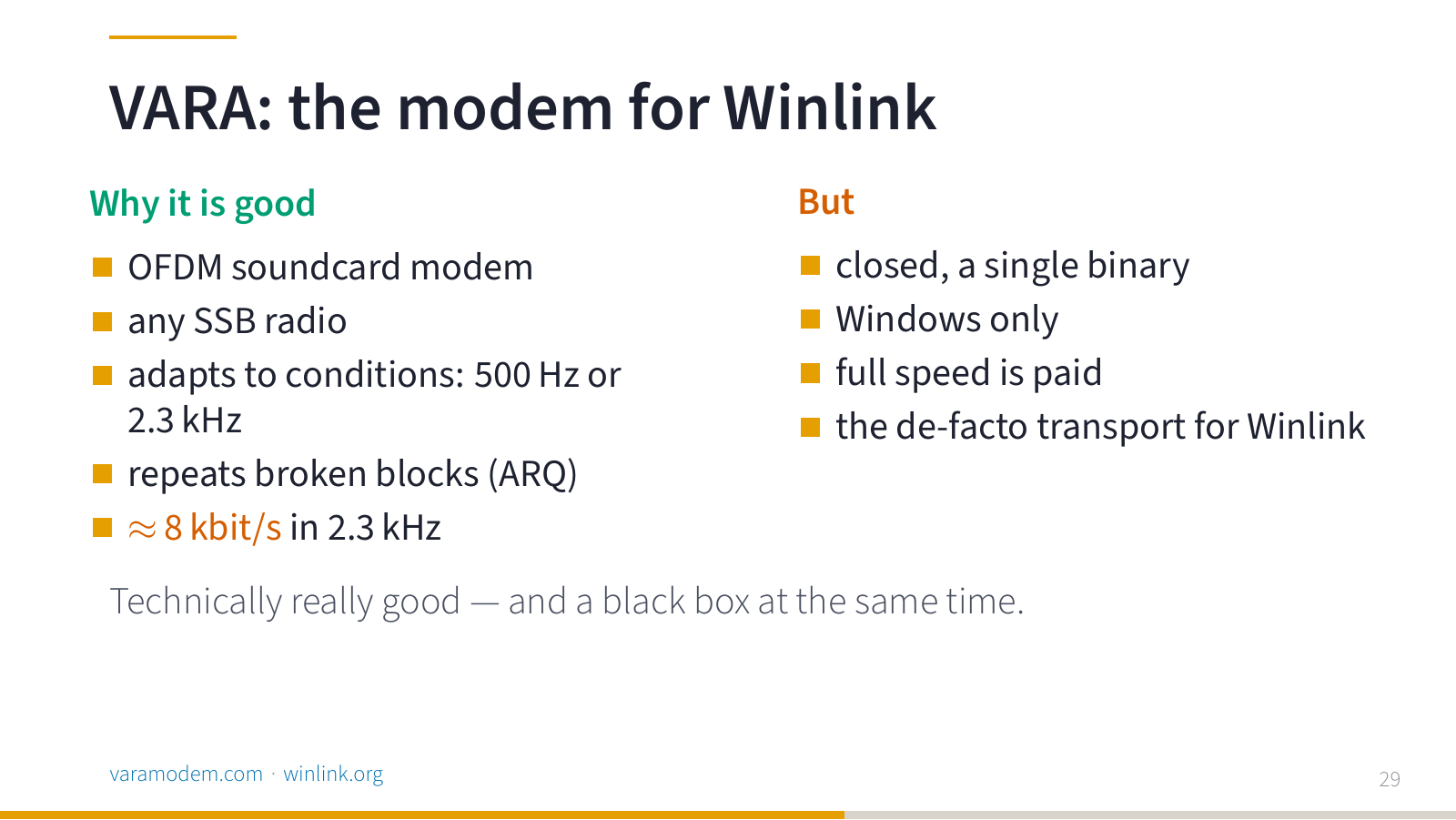
The modem that almost everybody uses today is VARA. And it is technically really good: OFDM, adapts to conditions, repeats broken blocks, and gets around 8 kbit/s in 2.3 kHz of bandwidth. It works.
It is just closed, it is a Windows binary, and full speed requires a paid licence.
Technically excellent — and a black box at the same time.
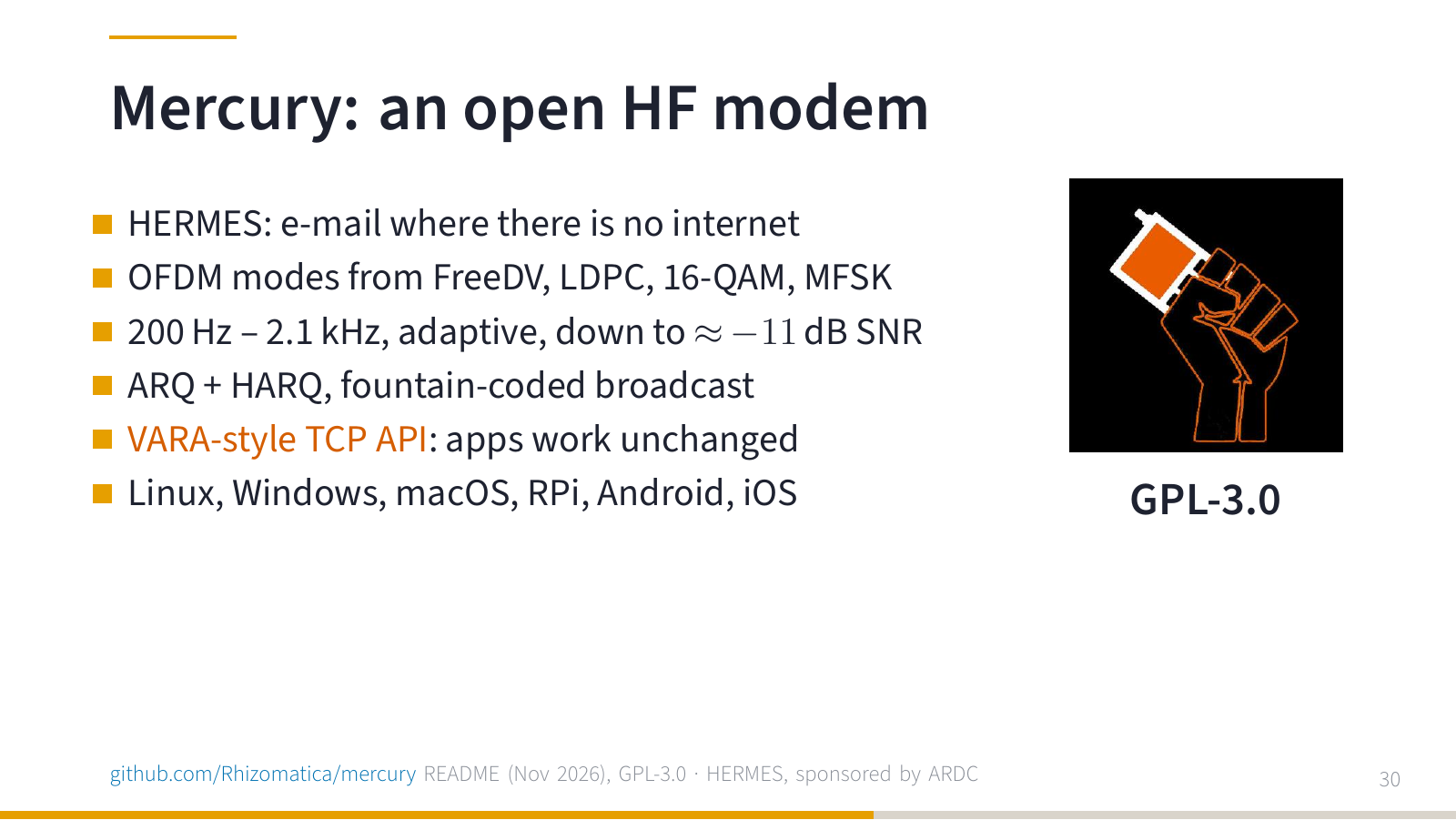
Mercury is an open modem by Rhizomatica, created for e-mail in places without internet (the HERMES project). It builds on the FreeDV and Codec 2 data modes, adapts to conditions, acknowledges and repeats blocks, and offers applications a TCP interface similar to VARA. It runs on Linux, Windows, macOS, Raspberry Pi and mobile phones, under the GPL.
I still want to test it properly myself, so here I present it as a direction, not as a result of my own measurements.
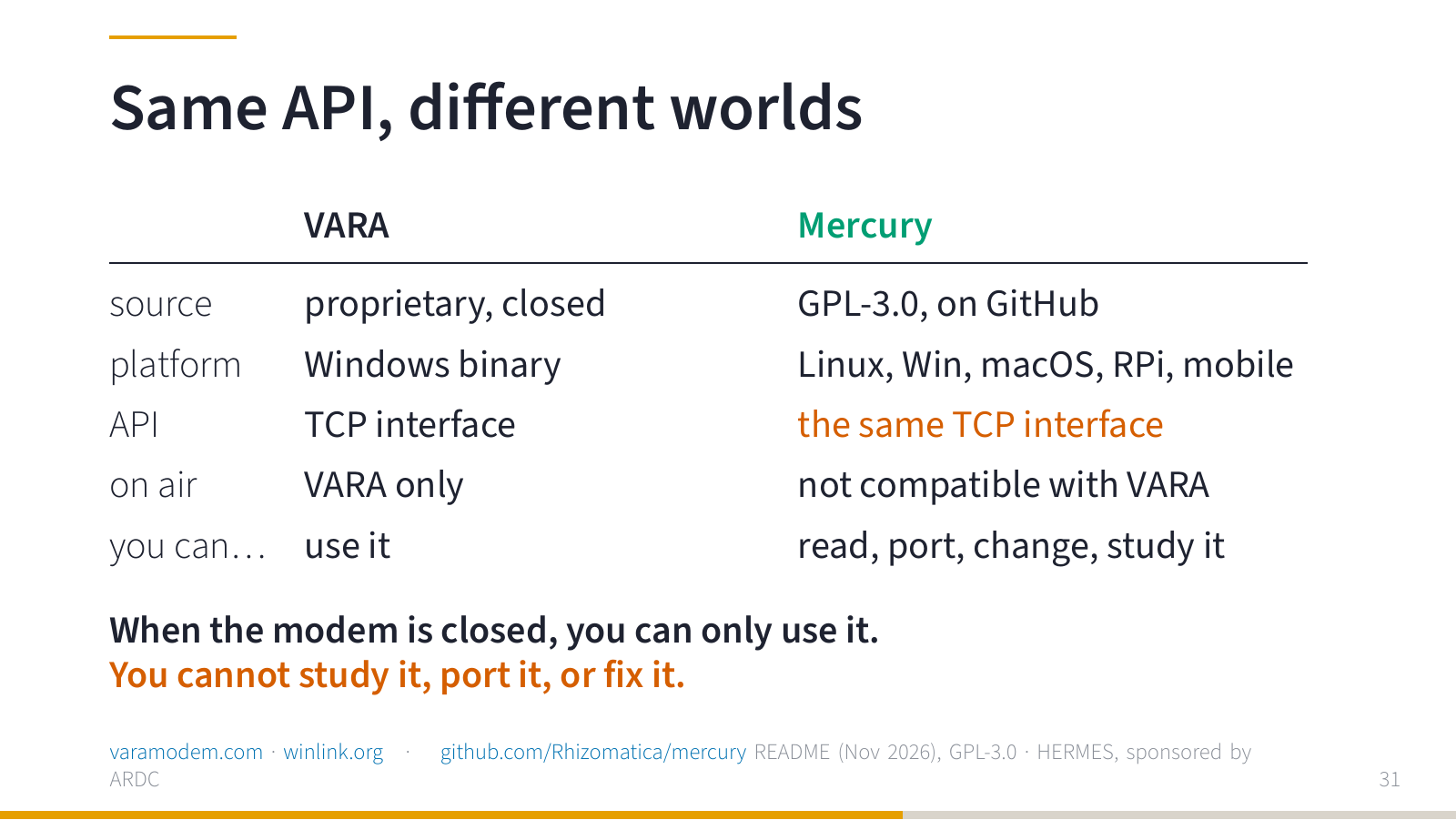
And here is a detail that programmers will recognise. The same application interface does not mean the same signal on the air. Winlink can talk to both Mercury and VARA, but Mercury and VARA cannot talk to each other on the band.
And the main difference? When I just want to send a message, I care whether it arrives. When I want to study the modem, I need more. When the modem is closed, you can only use it. You cannot study it, port it, or fix it. And the price is not the point here: free software can also be closed.
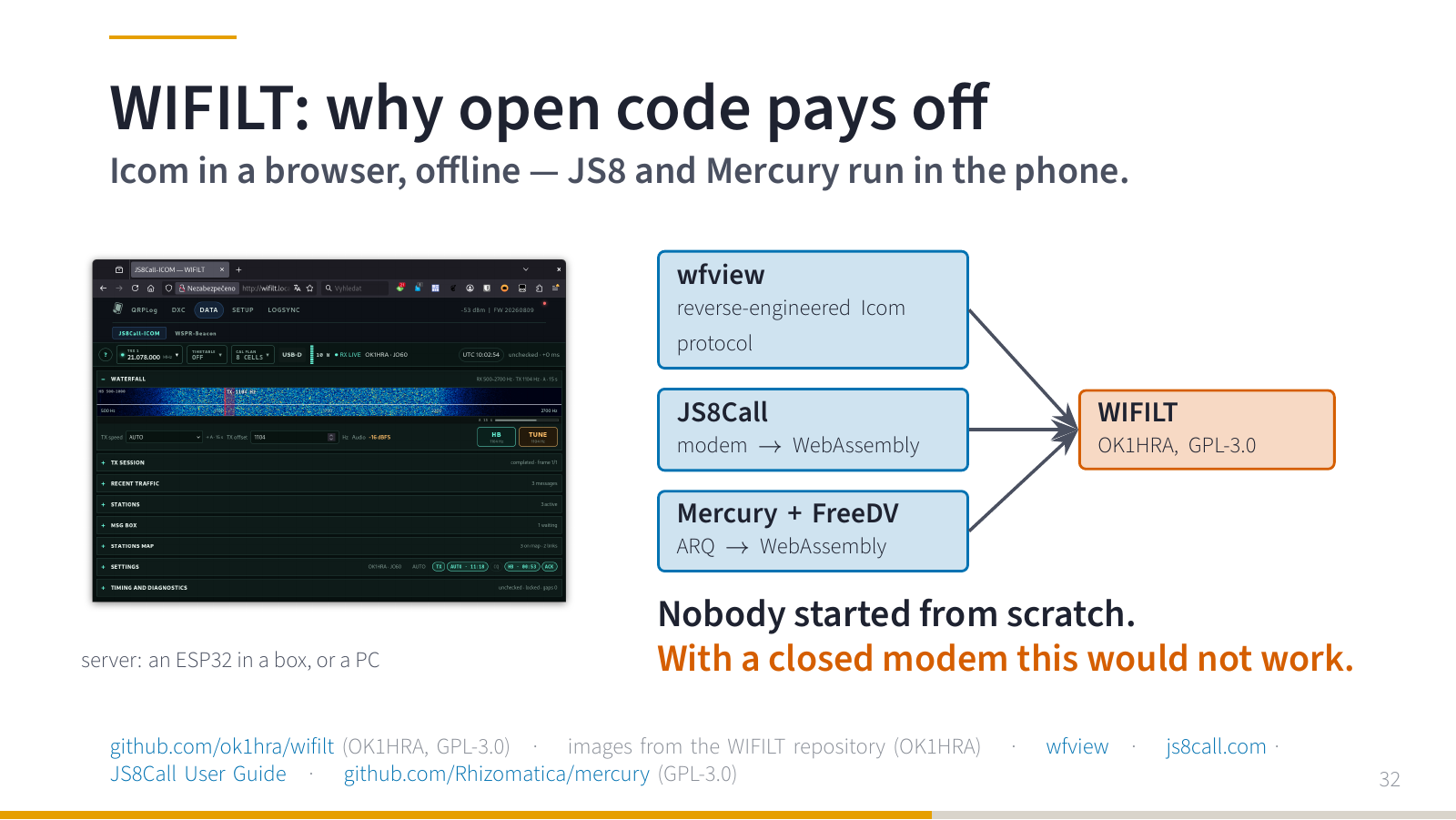
What does “porting” look like in practice? WIFILT is a project by Dan OK1HRA, by the way the same person who lent me the first Icom HF radio to play with. With it you control an Icom from a browser on your phone, without internet. The server is a small ESP32 in a box, or an ordinary PC.
And now the important part: the JS8 modem and the Mercury transfer engine are compiled to WebAssembly and run directly in the phone. And the Icom network protocol, which the manufacturer does not document, had been figured out earlier by the people around wfview. I have tried WIFILT with my IC-705 only once and briefly, with JS8Call, and it worked.
Nobody started from scratch. With a closed modem this would not be possible.
VHF and UHF: handhelds as platforms
Now VHF and UHF.
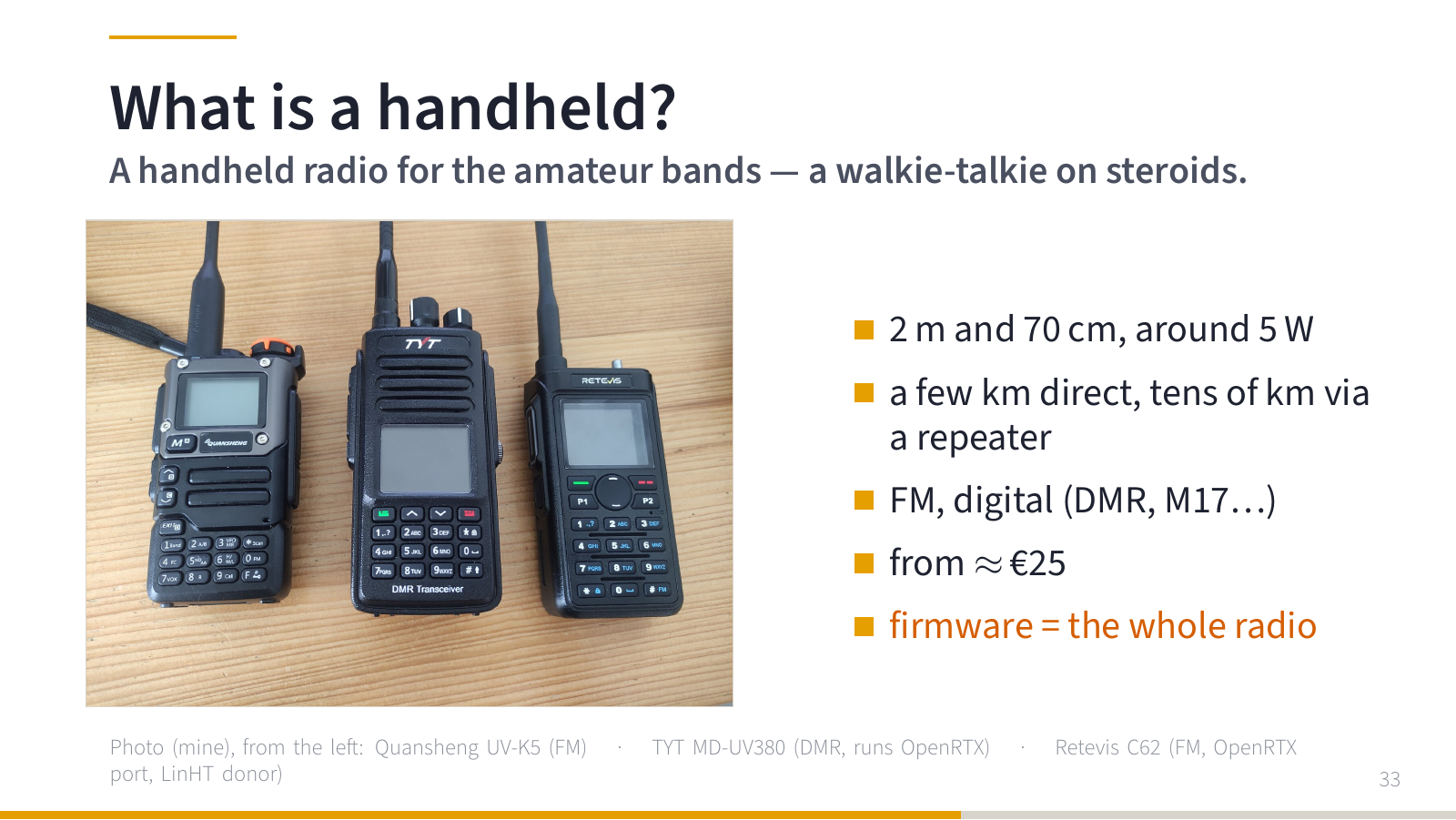
For those who are not hams: this is a handheld. A handheld radio for amateur bands, a walkie-talkie on steroids. 2 m and 70 cm, around 5 W, a few kilometres direct, tens of kilometres through a repeater. The cheap one on the left (Quansheng UV-K5) costs a few hundred Czech crowns. In the middle a TYT MD-UV380 (DMR, can run OpenRTX), on the right a Retevis C62.
And the main point: everything such a radio can do is defined by its firmware. Whoever can change the firmware can change the radio.
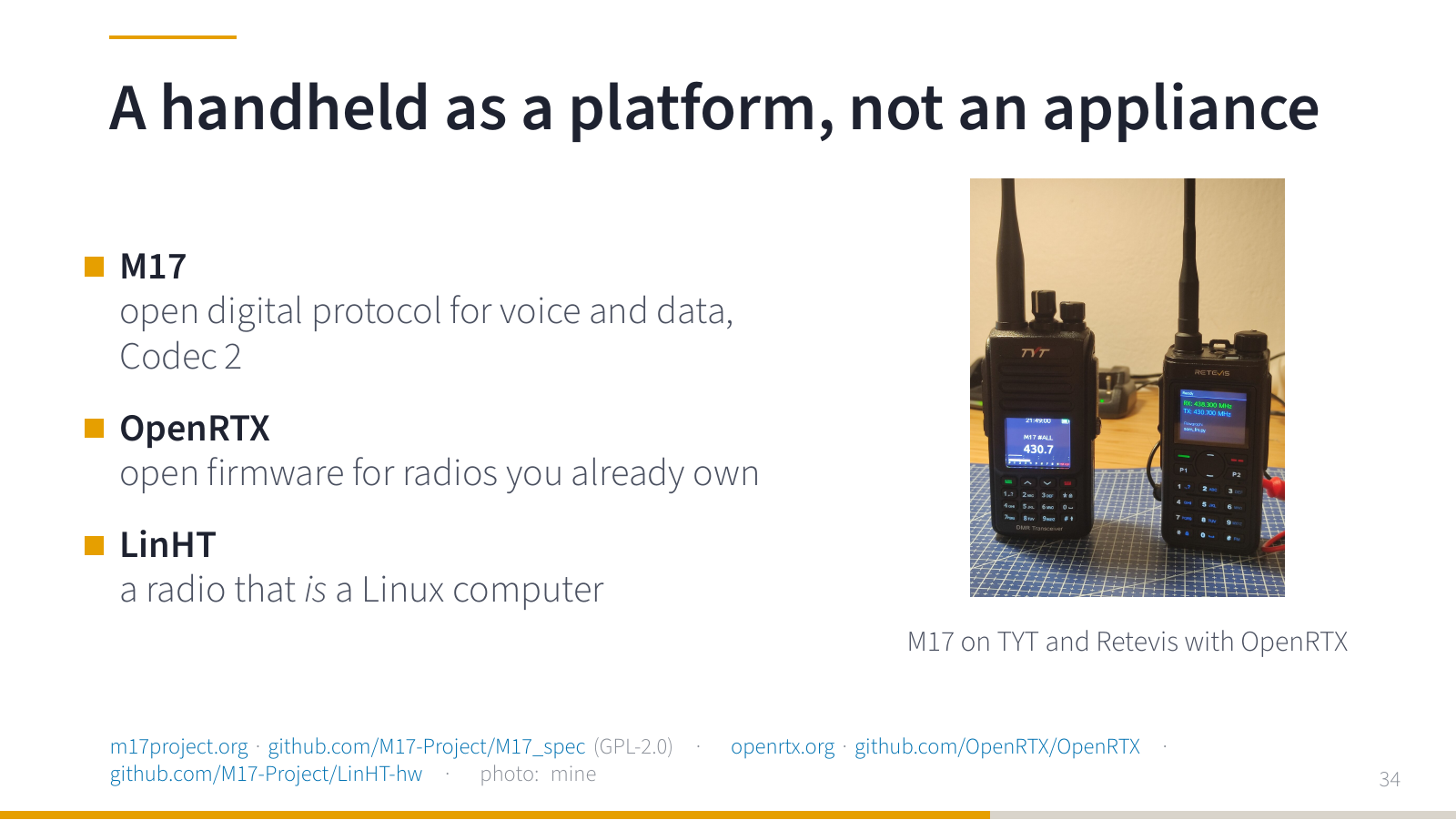
When I say “open radio”, it can mean three things.
The first is the protocol. M17 is an open digital protocol for voice and data, with the open Codec 2 voice codec. You can read the specification and write your own implementation (unlike DMR and similar digi modes, currently popular among some).
The second is firmware. OpenRTX is open firmware for radios that already exist.
The third is the whole platform. That is LinHT, a radio that is itself a Linux computer. The photo shows M17 on two handhelds running OpenRTX.
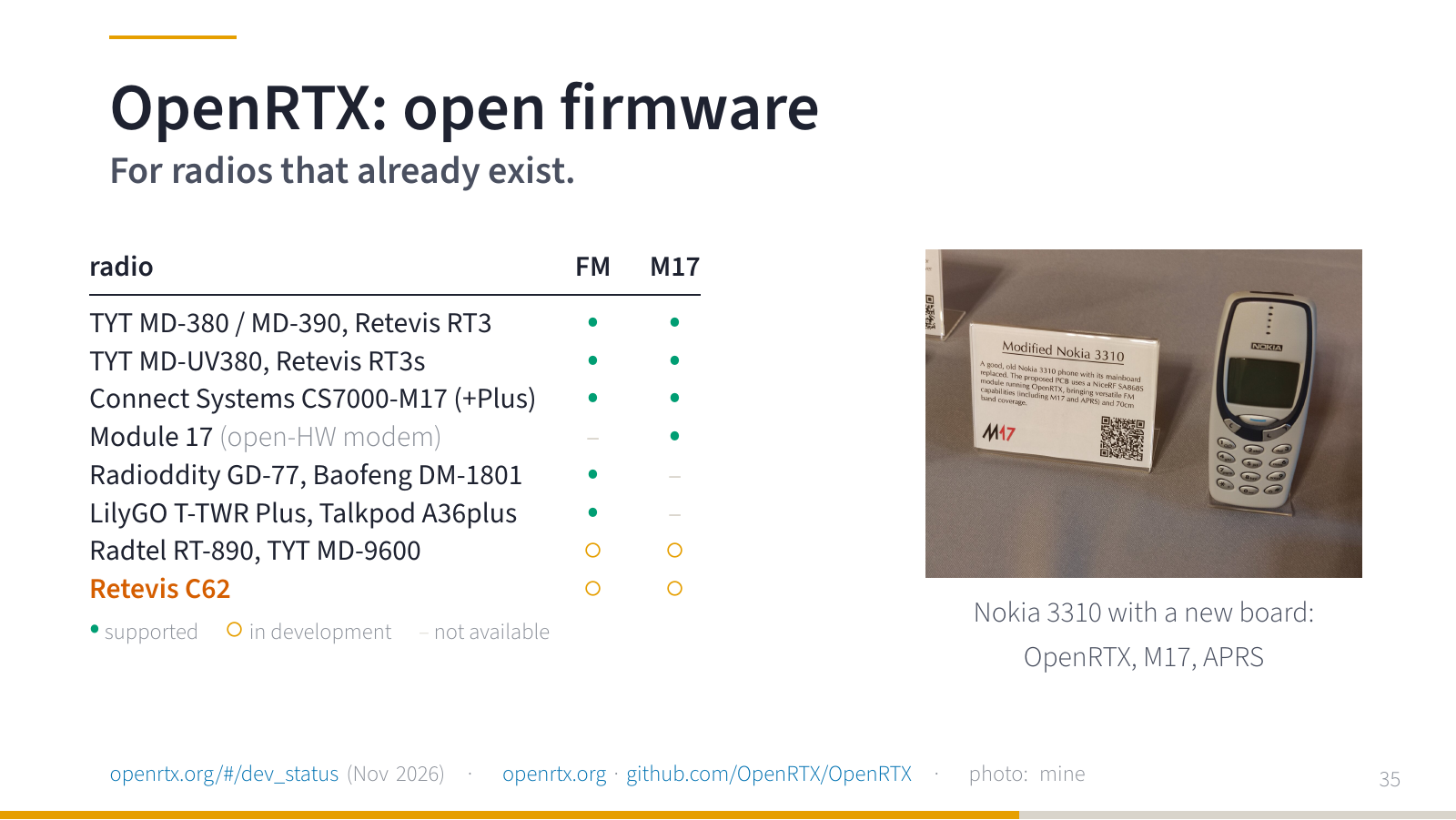
OpenRTX today runs on a number of cheap DMR handhelds and adds M17 to them. The table on the slide is simplified from the OpenRTX development status page (November 2026). My favourite port is the Nokia 3310 on the right: it got a new mainboard with OpenRTX and does M17 and APRS.
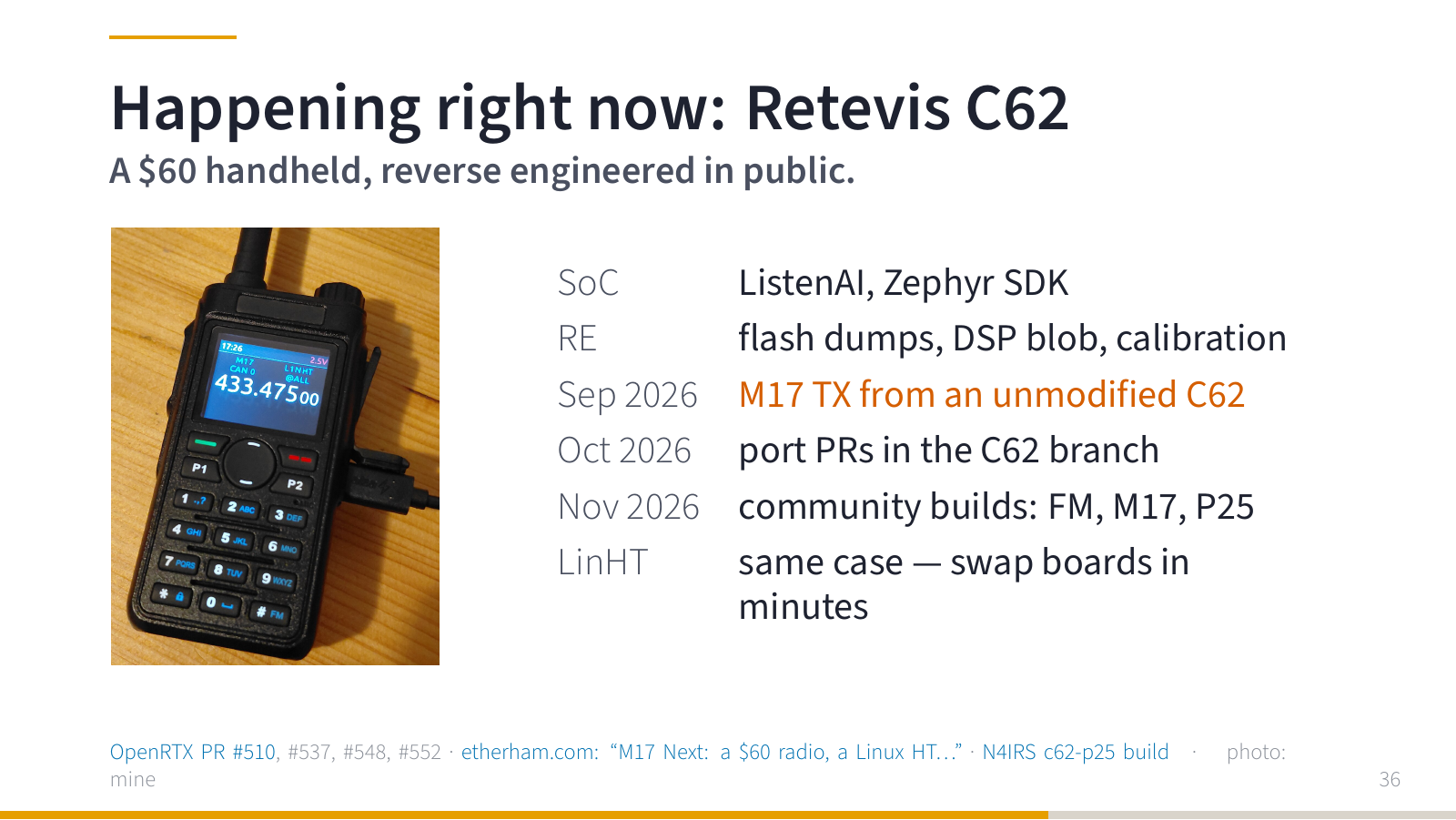
And now something that is happening right now. The Retevis C62 is a handheld for about 60 dollars. The community is reverse engineering it in public: flash dumps, the DSP firmware blob, factory calibration. In September 2026 M17 was transmitted from an unmodified C62 for the first time, in October the first changes were merged into the C62 branch of OpenRTX (PR #510 and others), and in November there are community builds (FM, M17, even P25). The photo is my C62 running OpenRTX with M17 on the display. (Errata: the photo is actually a modified C62 with LinHT motherboard running Linux, I made a mistake when preparing slides.)
If you want to join something: hardware testing, pull requests, documentation. This is happening now.
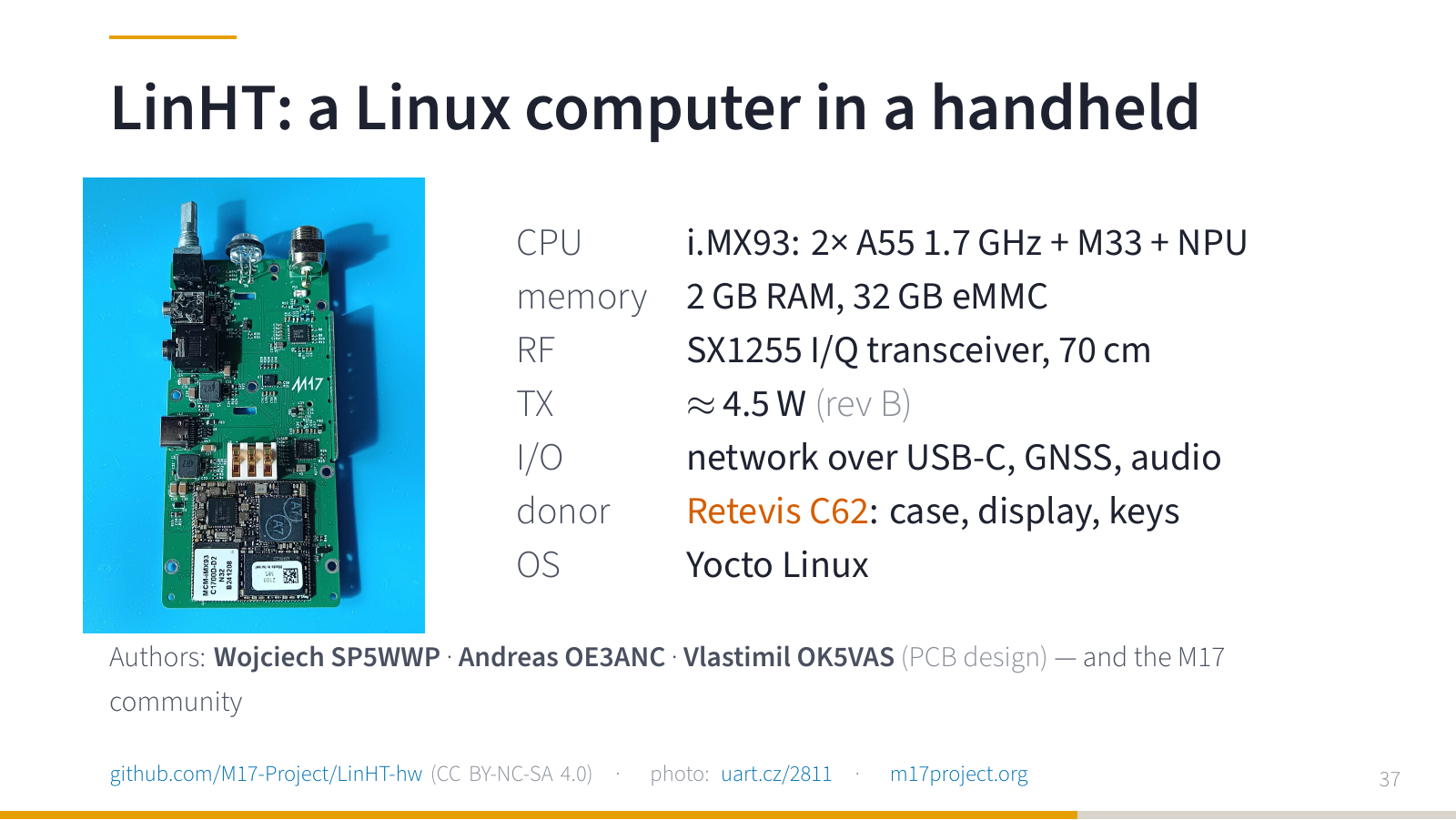
The third layer is LinHT. Into the body of a handheld (exactly that Retevis C62) we put our own board: an NXP i.MX93 with Linux, 2 GB of RAM and an SX1255 I/Q transceiver. The whole modulation is in software. I work on it with Wojciech SP5WWP and Andreas OE3ANC; I mostly take care of the boards, manufacturing and bring-up.
On development hardware, the best stories are the ones that start with “this must already work”. On rev B, for example, the audio codec had power, but it needed a hardware reset to start properly, and we had not routed that pin to the processor. A bodge wire and a driver change fixed it. That is a very concrete meaning of having access to both the schematic and the source code: you can follow a problem across the boundary between the board and Linux and fix both sides.
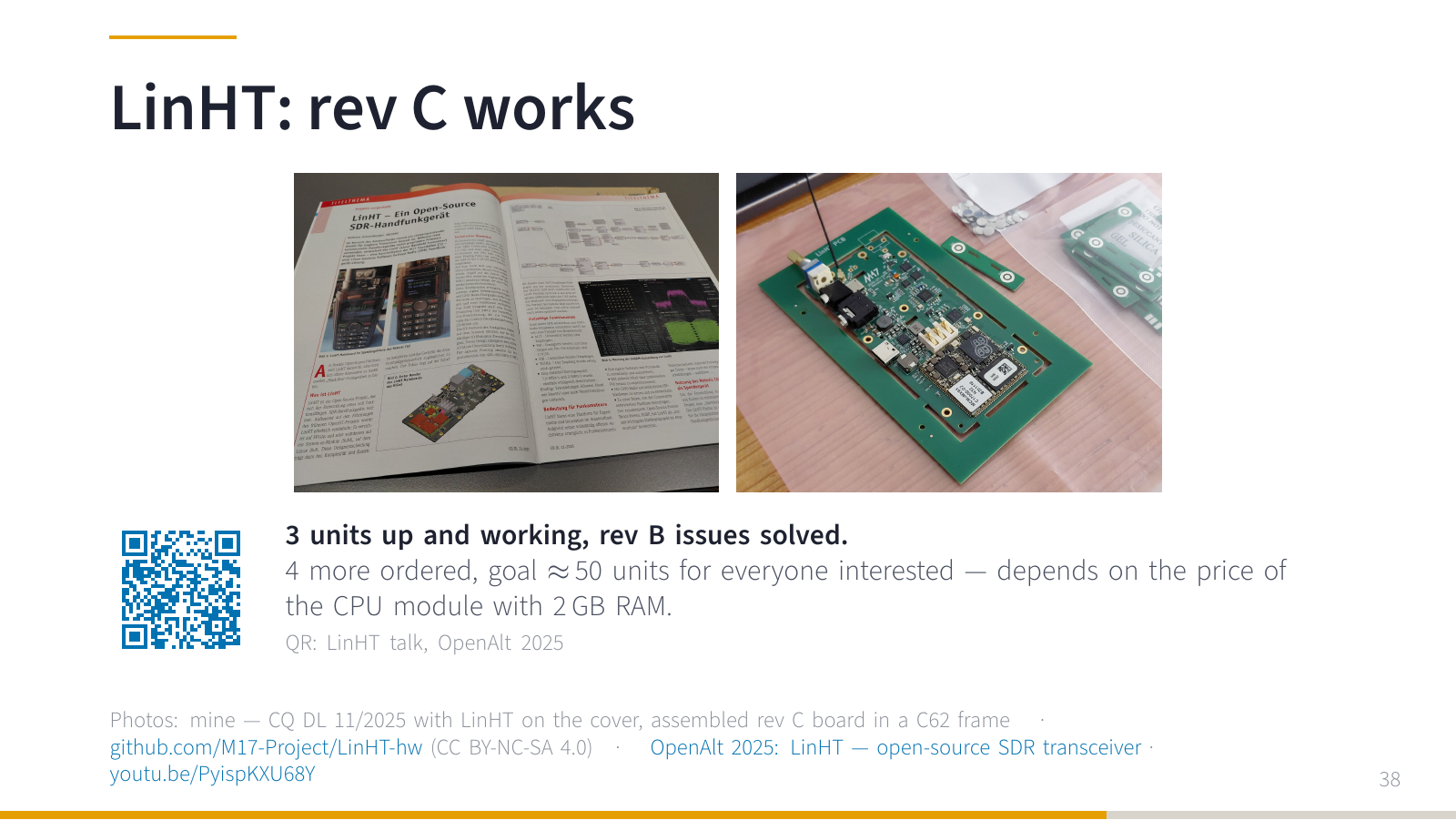
In the meantime LinHT even made it to the cover of the German CQ DL magazine. And rev C: the first three units are assembled and working, and all the rev B problems are solved. Four more are ordered and I am sourcing components for a larger batch. I would like to make around fifty units for everyone who is interested. How much it will cost depends mostly on the system-on-module with 2 GB of RAM, and we all know what anything with RAM costs these days.
If you want the details, my talk from last year is on YouTube (there is a QR code on the slide).
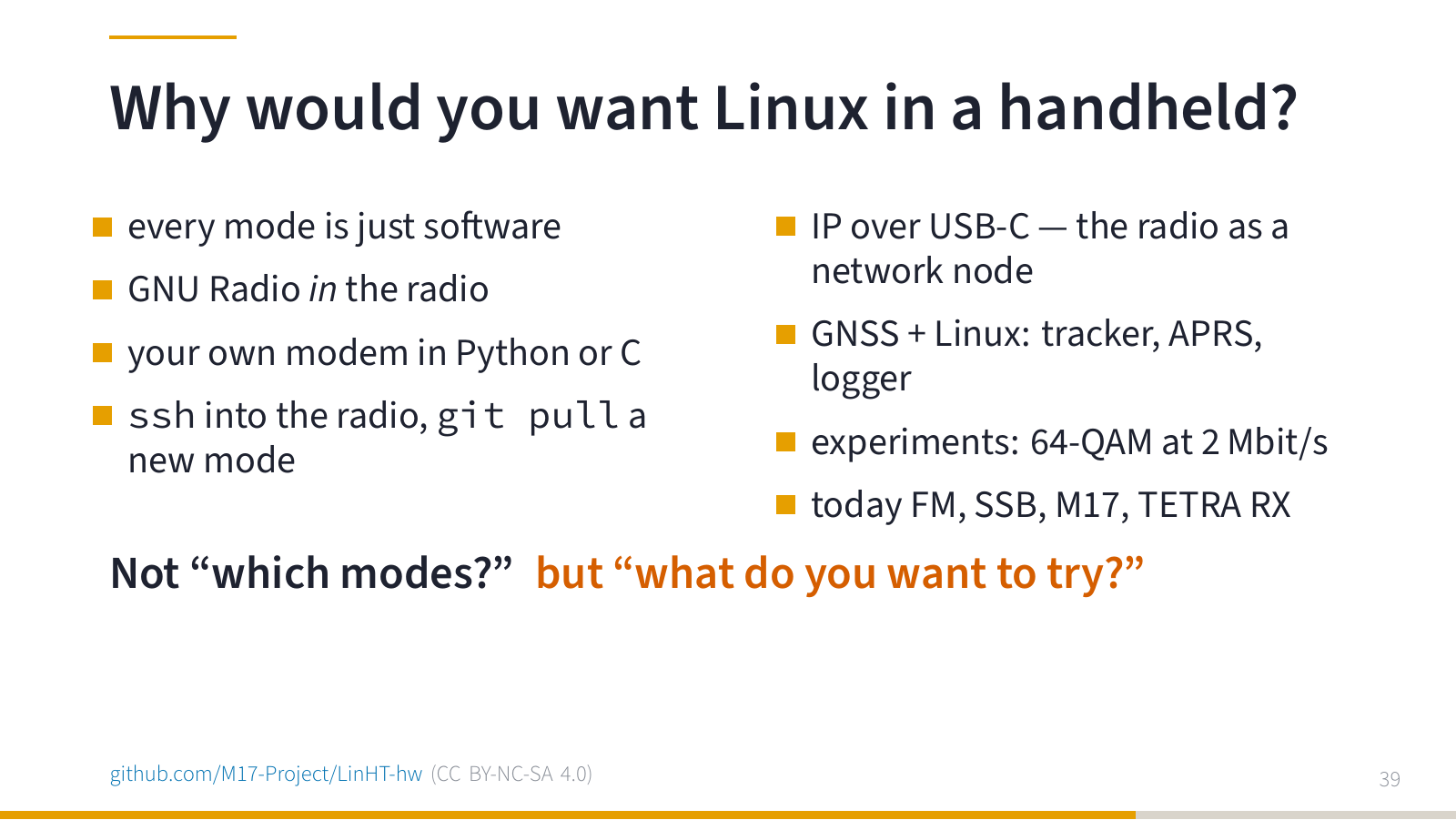
The most common question I get: why would I want a handheld with Linux?
Because every mode is just software. GNU Radio runs inside the radio. You can write your own modem in Python or C. You can ssh into your radio and git pull a new mode. Over USB-C the radio is a network node, and it has GNSS. Today it does FM, SSB, M17 and TETRA receive, and we have tried 64-QAM at 2 Mbit/s.
So the question is not “which modes does it support?”, but “what do you want to try?”.
VHF and UHF also means satellites.
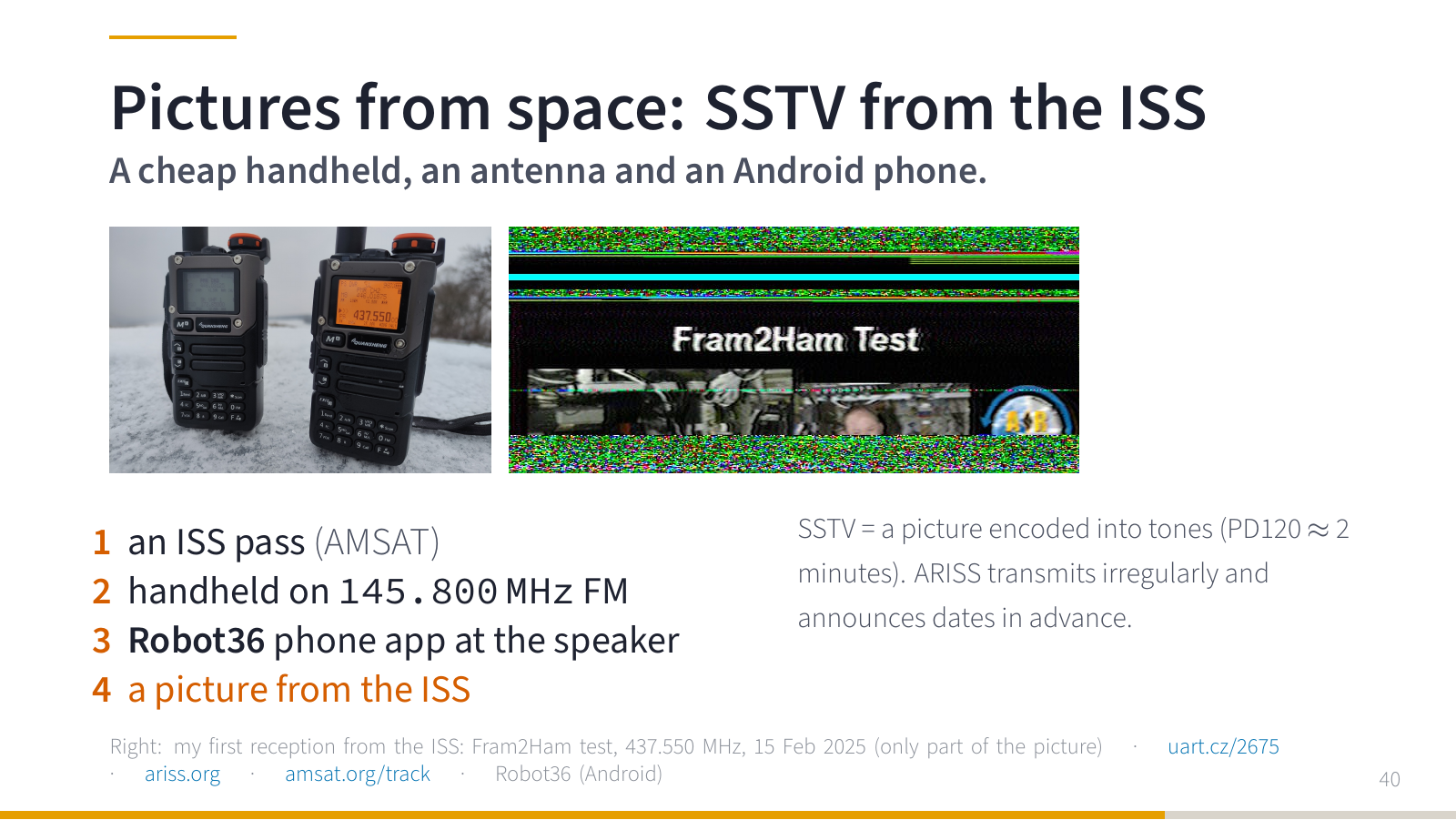
My favourite first thing: pictures from the space station. The ISS sometimes transmits SSTV, pictures encoded into audio tones. All you need is a handheld tuned to 145.800 MHz FM (wide), lying flat, and a phone with the Robot36 app next to the speaker. Pass predictions are on AMSAT, transmission schedules on ARISS. This is my first reception (a Fram2Ham test transmission from the ISS on 437.550 MHz, 15 February 2025): only part of the picture, because my antenna was not pointed well, but it came from the ISS. I wrote more about it in my article about the Quansheng (in Czech).
Microwaves
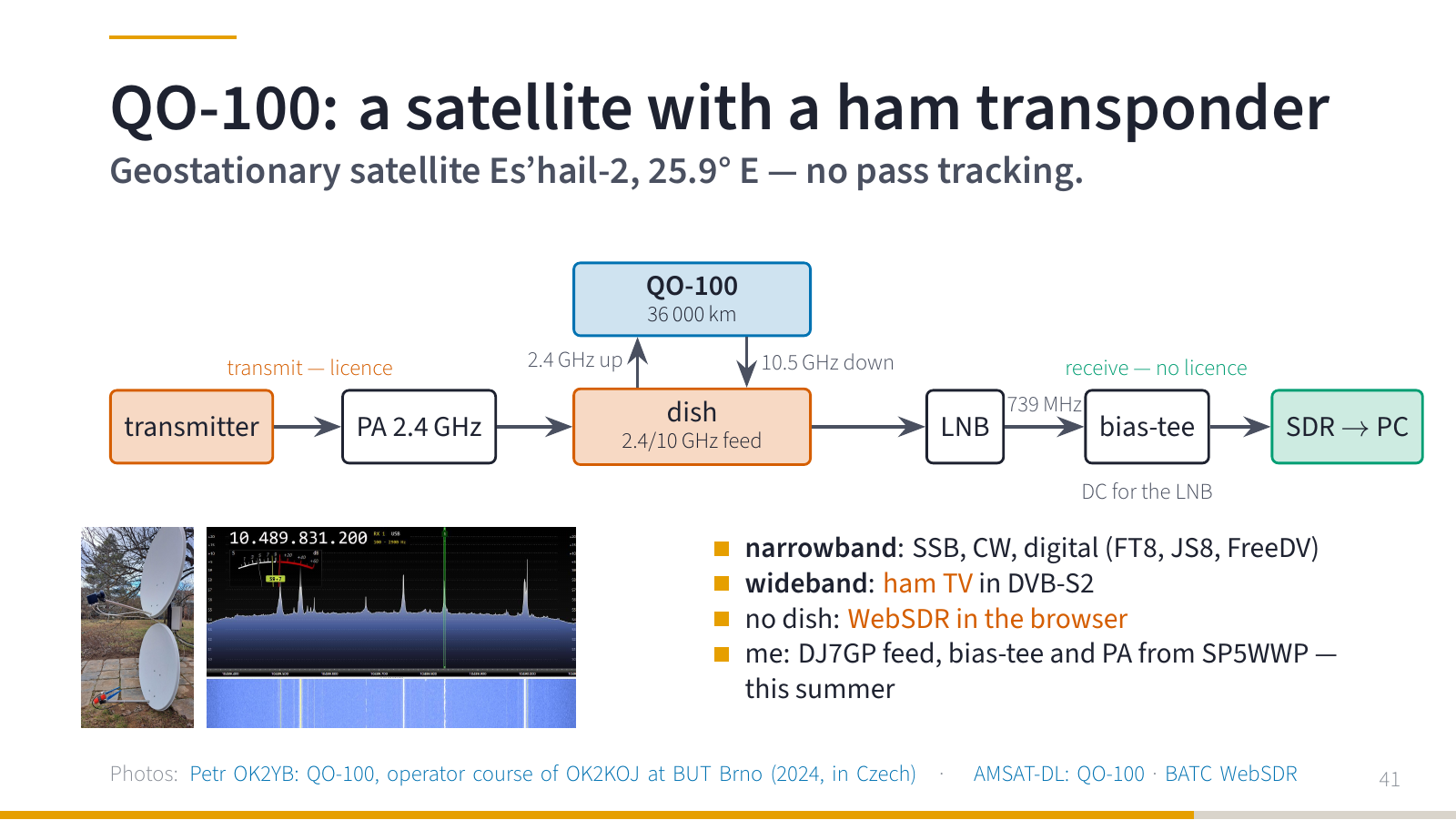
And one more satellite that many people do not know about. QO-100 is an amateur transponder on the geostationary satellite Es’hail-2 at 25.9° E. It sits in the same place in the sky all the time, so there is no tracking: a dish pointed once is pointed forever.
Receiving needs no licence: an ordinary satellite dish, an LNB and an SDR. The LNB shifts the 10.489 GHz downlink to about 739 MHz, a bias-tee feeds the LNB with DC over the coax, and any cheap SDR can take it from there. And if you have no dish at all, there is the BATC WebSDR from Goonhilly in your browser.
What can you hear? In the narrowband transponder SSB, CW and digital modes (FT8, JS8, FreeDV). In the wideband transponder amateur television, HAM TV, as DVB-S2. Uplink is on 2.4 GHz, downlink on 10.5 GHz.
I recently got a DJ7GP dual-band feed (2.4/10 GHz), a bias-tee and a 2.4 GHz power amplifier from Wojciech SP5WWP, so next summer I am diving into it.
If you want to start right now, I recommend the excellent Czech presentation by Petr OK2YB, from the operator course of the OK2KOJ radio club at the Brno University of Technology: QO-100 (PDF). The two photos on the slide (his two dishes and his first reception) come from it.
Open source and the ham spirit
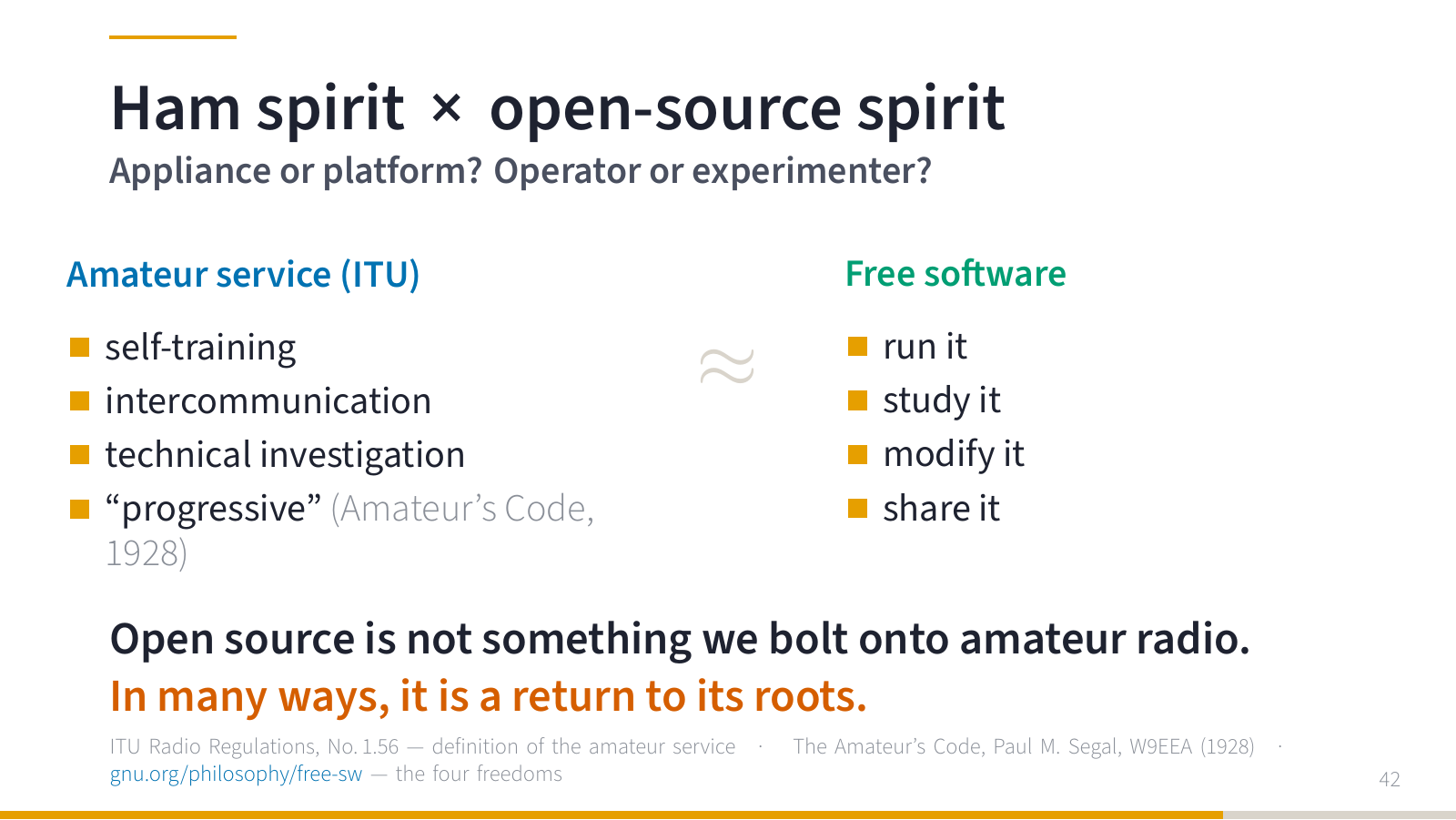
So: appliance or platform. Operator or experimenter. Black box or open system.
Both are legitimate. Finished radios and finished modems work and people like using them. The problem starts when a black box prevents experimenting, porting, cooperation or long-term survival. What happens when the author stops developing/supporting it?
And experimenting is the very reason the amateur service exists. The ITU Radio Regulations define it as a service for self-training, intercommunication and technical investigations. The Amateur’s Code from 1928 says a radio amateur should be “progressive”.
Next to it, the four freedoms of free software: run, study, modify, share.
To me it sounds very similar. Open source is not something we bolt onto amateur radio. In many ways it is a return to its roots.
Your way in
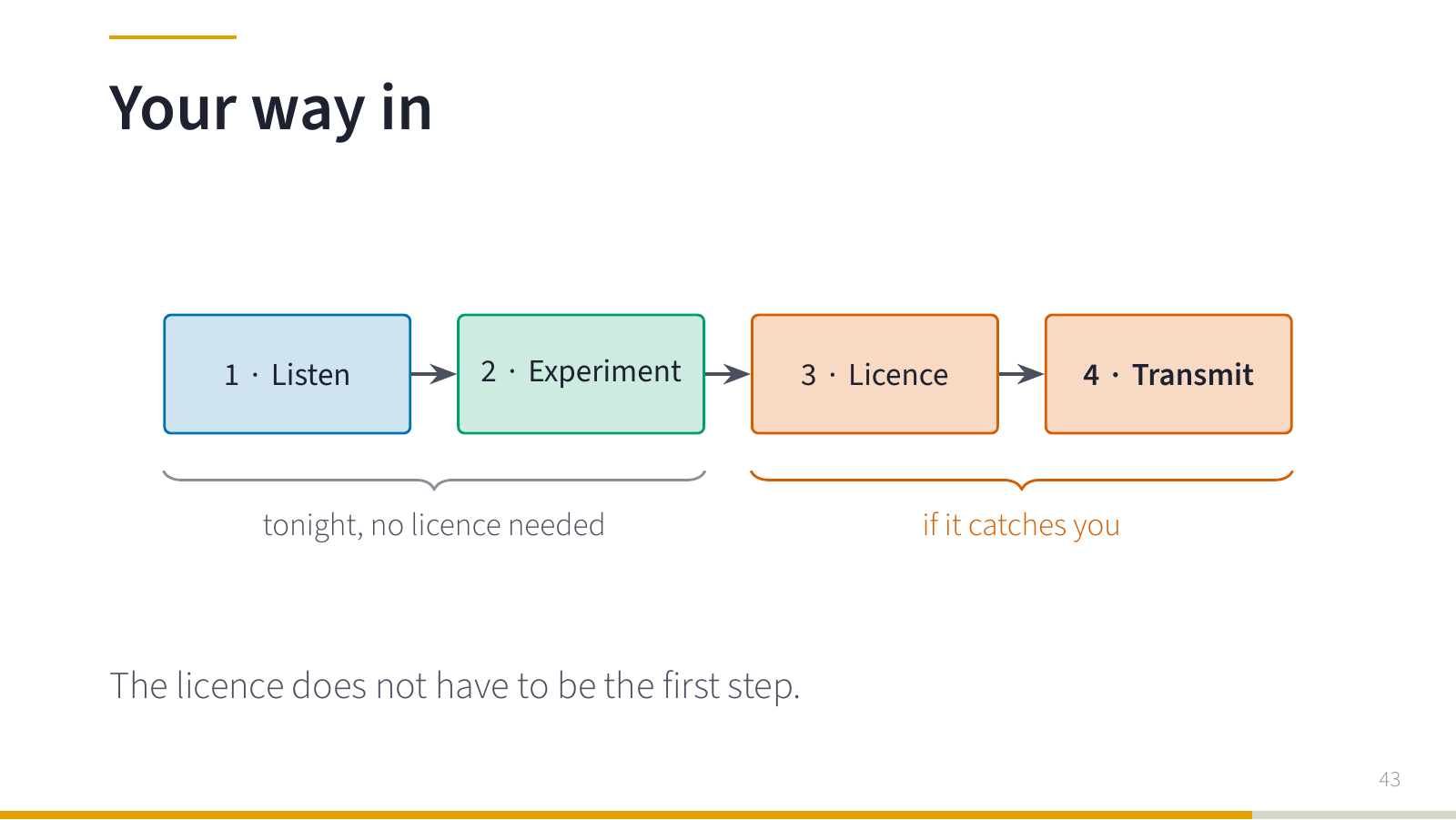
And now for you. How to start? In four steps. Listening and experimenting you can do tonight, without a licence. And if you like: licence and transmitting.
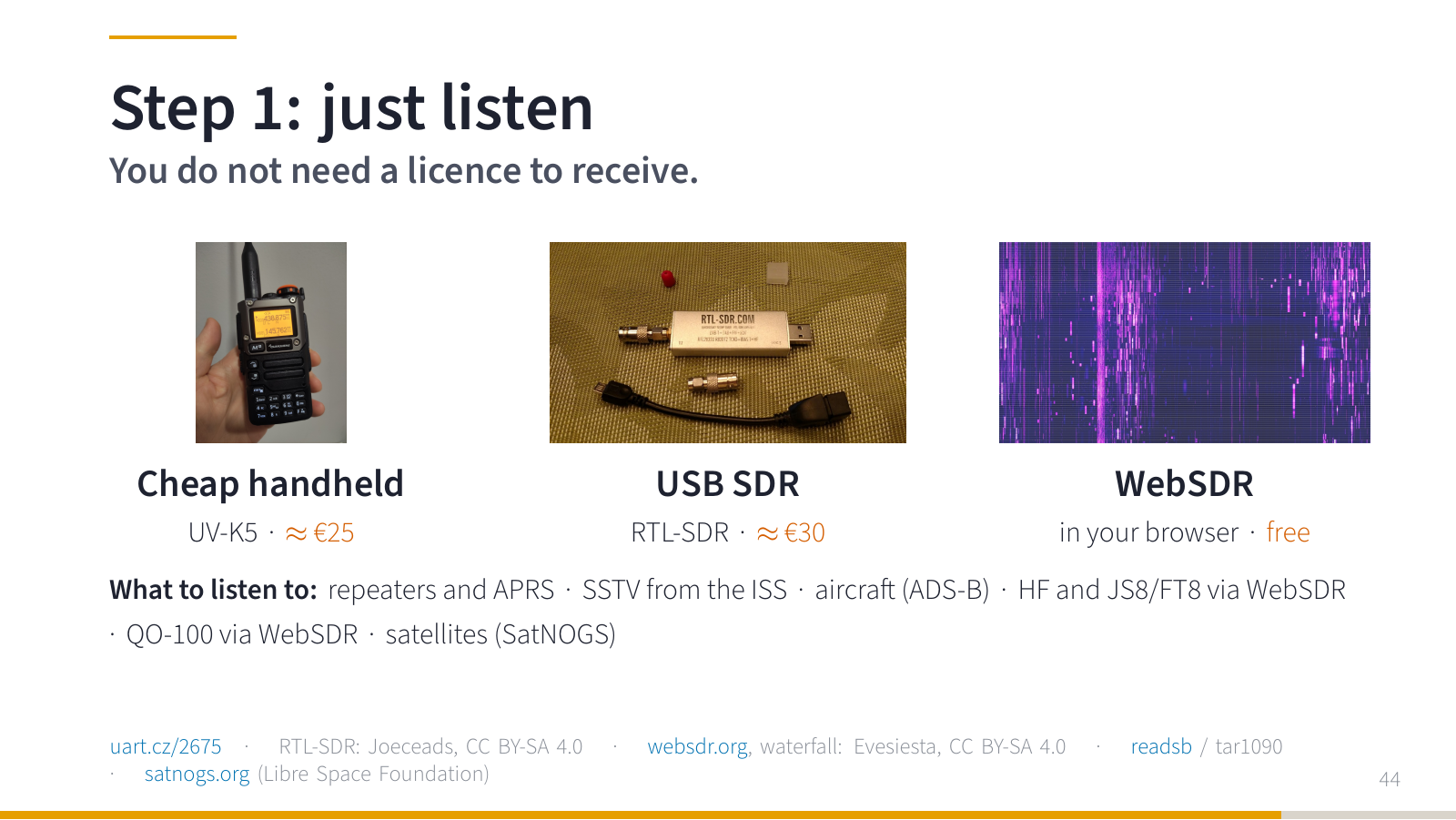
You do not need a licence to receive. That is exactly how I started: half a year with a handheld, just listening. A cheap handheld for a few hundred crowns (Quansheng UV-K5, about 600 CZK). A USB SDR (RTL-SDR, about 800 CZK). Or for free, a WebSDR in your browser: a real receiver with an antenna somewhere in the world, which you tune remotely.
What to listen to? Repeaters and APRS. Pictures from the ISS. Aircraft — with ADS-B you get your own map of planes. HF and JS8 or FT8 through a WebSDR. QO-100 through its WebSDR. Satellites through SatNOGS. Everything you have seen in this talk.
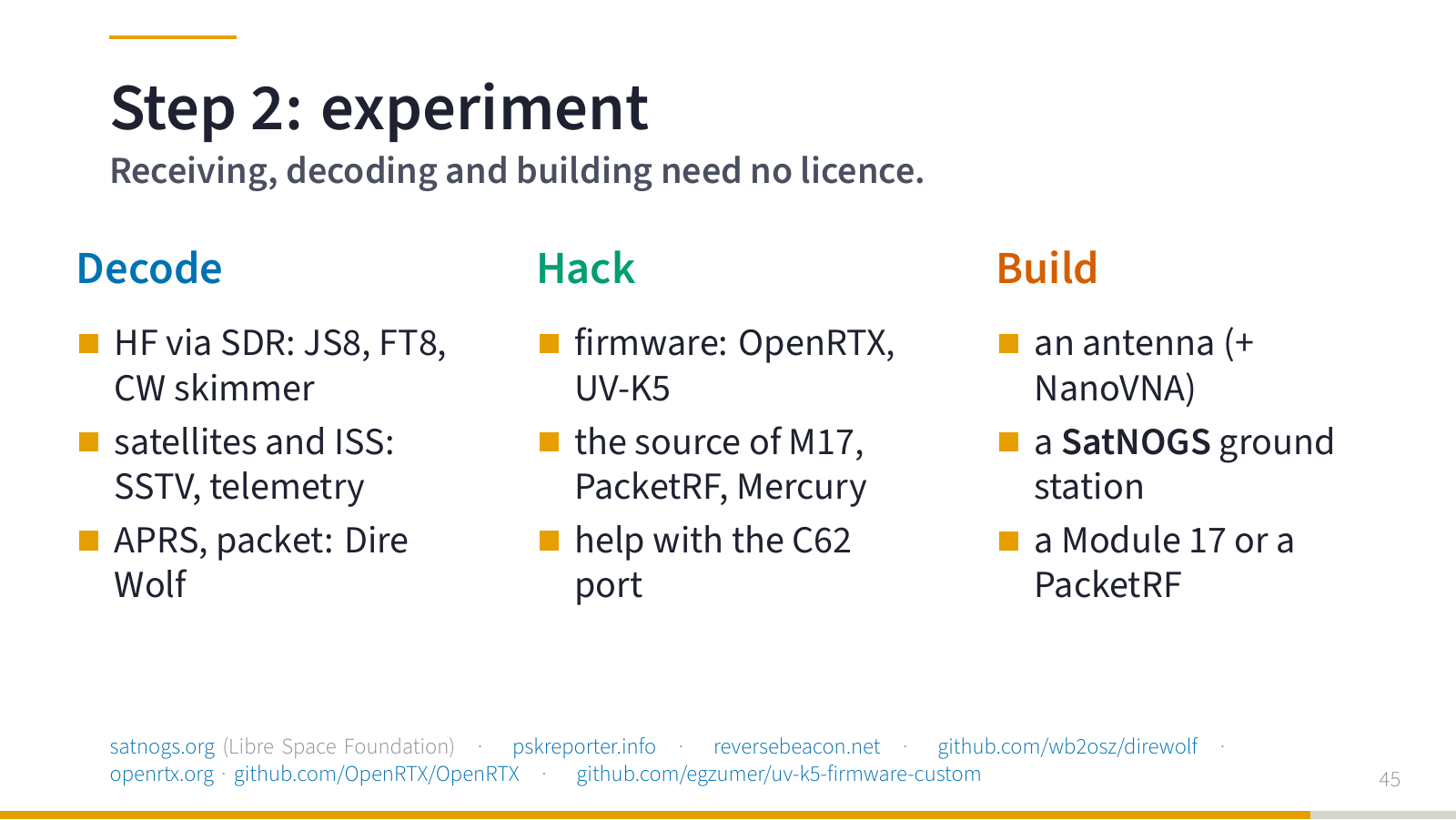
And then experiment. Decode: HF, satellites, APRS (Dire Wolf). Hack: open firmware for a handheld, the source code of M17, PacketRF or Mercury, or help with the C62 port. Build: an antenna (a NanoVNA helps a lot), a SatNOGS ground station, a Module 17 or a PacketRF. None of that needs a licence.
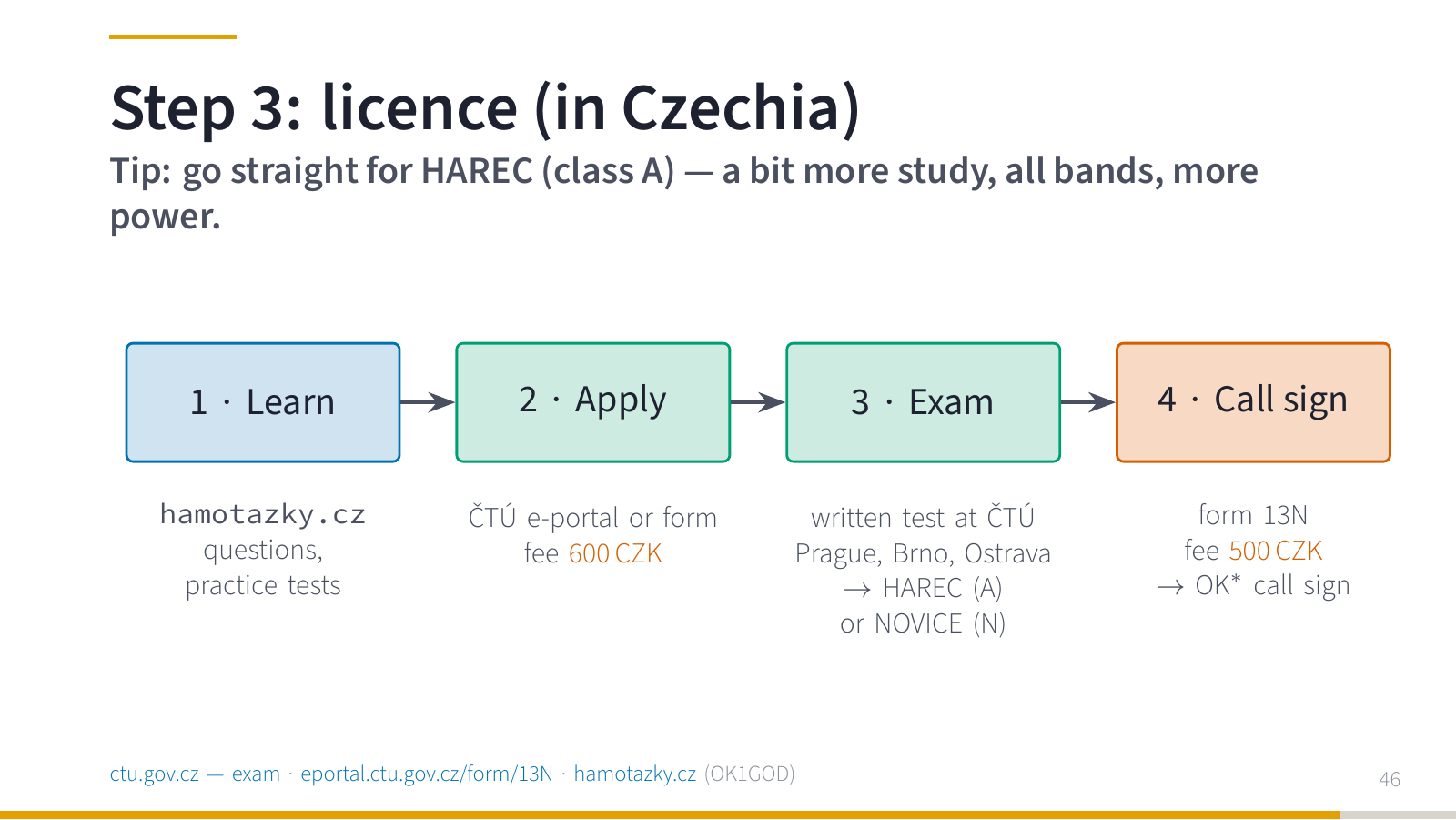
If you like RF experiments and listening, get a licence. In the Czech Republic it is quite straightforward:
- Learn: questions and practice tests are on hamotazky.cz (made by OK1GOD, open source).
- Apply for the exam at ČTÚ, via the ePortál or a paper form, fee 600 CZK.
- Written test at ČTÚ: in Prague, but also in Brno or Ostrava. You get a HAREC (class A) or NOVICE (class N) certificate.
- Apply for a call sign (form 13N, 500 CZK).
My tip: go straight for HAREC, class A. It is a bit more studying, but you get all bands and higher power. I studied for about a month, in short sessions whenever I had time, with hamotazky.cz.
Details are on the ČTÚ website. Check the fees there, they may change.
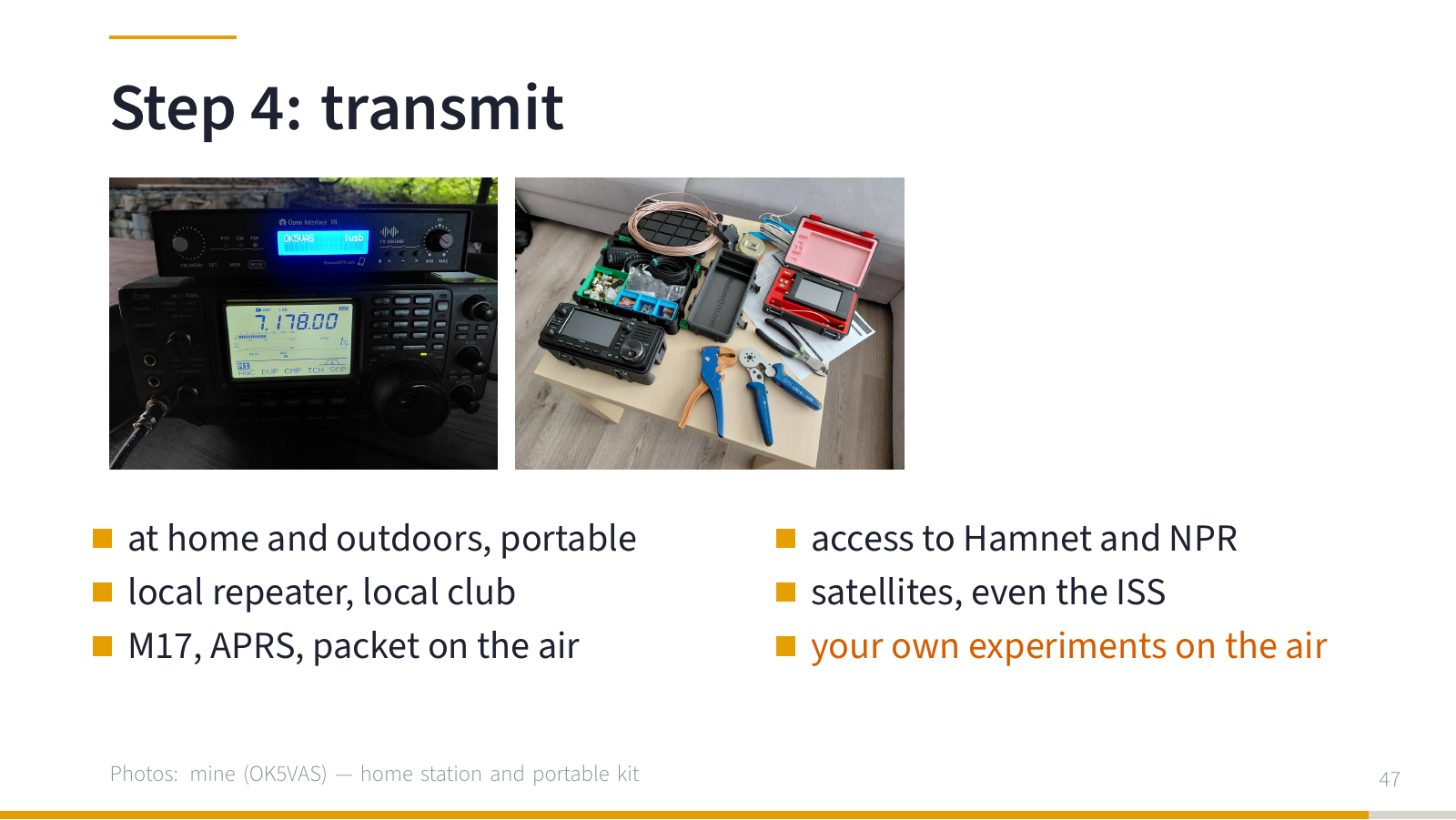
And then transmit. At home and outdoors with a portable setup. The local repeater, the local club. M17, APRS and packet on the air. Access to Hamnet and NPR. Satellites. And above all, your own experiments. That is why the amateur service exists.
Wrapping up
At the beginning we sent one message across the room. For the application, a trivial thing. When we looked inside, we found firmware, a protocol, transmission scheduling, addressing and a piece of analog electronics. And all of it could be opened.
So: find what you enjoy. Learn it. Build it. Transmit.
Self-training, technical investigation and intercommunication: that is exactly why the amateur service exists.
Thanks for reading. If you have questions, want to join the Hamnet effort near Brno, or are interested in a LinHT, get in touch.
Sources and links
All links from the slides, in the order they appear in the talk.
- Amateur radio articles on uart.cz
- Introduction to the PacketRF project (uart.cz)
- github.com/slintak/PacketRF
- NPR by F4HDK — hackaday.io/project/164092
- Chris Boden: New Crew Radios (YouTube short)
- Recording: Intro to Meshtastic, LinuxDays 2024 (in Czech)
- LinuxDays 2024: Intro to the LoRa network Meshtastic (CZ)
- The New Packet Radio (uart.cz)
- hamnet.eu
- hamnetdb.net
- hamnetdb.net map (source of the Hamnet map)
- FOSDEM 2025: HAMNET status update
- NPR-H by DO5DSH, localino.net
- hackaday.io/project/175907
- Cislunar Amateur DTN (G4DPZ)
- Experiments with NPR: new hardware, firmware and some cryptography (uart.cz)
- WSJT-X: FT8, MSK144, Q65
- gnuradio.org
- sdrpp.org
- js8call.com
- JS8Call User Guide
- pskreporter.info
- winlink.org
- varamodem.com
- github.com/Rhizomatica/mercury
- github.com/ok1hra/wifilt
- wfview
- m17project.org
- github.com/M17-Project/M17_spec
- openrtx.org
- github.com/OpenRTX/OpenRTX
- github.com/M17-Project/LinHT-hw
- openrtx.org/#/dev_status
- OpenRTX PR #510
- etherham.com: “M17 Next: a $60 radio, a Linux HT…”
- N4IRS c62-p25 build
- LinHT: open SDR handheld for radio amateurs (uart.cz)
- LinHT – a complete M17 transceiver (m17project.org)
- Recording: LinHT, OpenAlt 2025 (in Czech)
- OpenAlt 2025: LinHT — open-source SDR transceiver
- First steps with the Quansheng UV-K5 (uart.cz, in Czech)
- ariss.org
- amsat.org/track
- Petr OK2YB: QO-100, operator course of OK2KOJ at BUT Brno (2024, in Czech)
- AMSAT-DL: QO-100
- BATC WebSDR
- gnu.org/philosophy/free-sw
- websdr.org
- readsb
- satnogs.org
- reversebeacon.net
- github.com/wb2osz/direwolf
- github.com/egzumer/uv-k5-firmware-custom
- ctu.gov.cz — exam
- eportal.ctu.gov.cz/form/13N
- hamotazky.cz
Images
Photos not listed here are mine. Third-party images used on the slides:
- wm_rtl-sdr.jpg — Joeceads · CC BY-SA 4.0
- wm_websdr_waterfall.jpg — Evesiesta · CC BY-SA 4.0
- wm_straight_key_ham.jpg — 櫻井貫大 · CC BY-SA 3.0
- wm_contest_station_de2017.jpg — Ptolusque · CC BY-SA 4.0
- wm_ham_tower.jpg — Wikideas1 · CC0
- wm_ft8_waterfall.jpg — Denis Apel · CC BY-SA 4.0
- ok2yb_qo100_dishes.jpg — Petr Holyszewski OK2YB, Kurz operátorů OK2KOJ
- wm_ts520s.jpg — Zalasem1 · CC BY 4.0
- Hamnet map: generated from hamnetdb.net data, borders © Natural Earth (public domain)
- WIFILT screenshot: from the WIFILT repository by OK1HRA
- Project logos: M17 Project, OpenRTX, Rhizomatica (GitHub organisation avatars)


